
Custom Painting Add-On Documentation
This is a fully customizable addon that allows you to personalize your Minecraft world by adding your own images. Using the TRMC ADDON web editor, you can upload any photo and display it in-game with adjustable sizes ranging from 1:1 to 16:16.
Main Features
Decorate your base like never before with these key tools:
- Custom Painting: A placeable wall item that displays your uploaded images.
- The Brush: The essential tool for configuration. Right-click to cycle through images and change dimensions.
By interacting with a painting while holding the Brush, a UI will appear allowing you to pick a specific image from your library and adjust its scale instantly.
Crafting Recipes
The items are very affordable and can be crafted early in your survival journey:
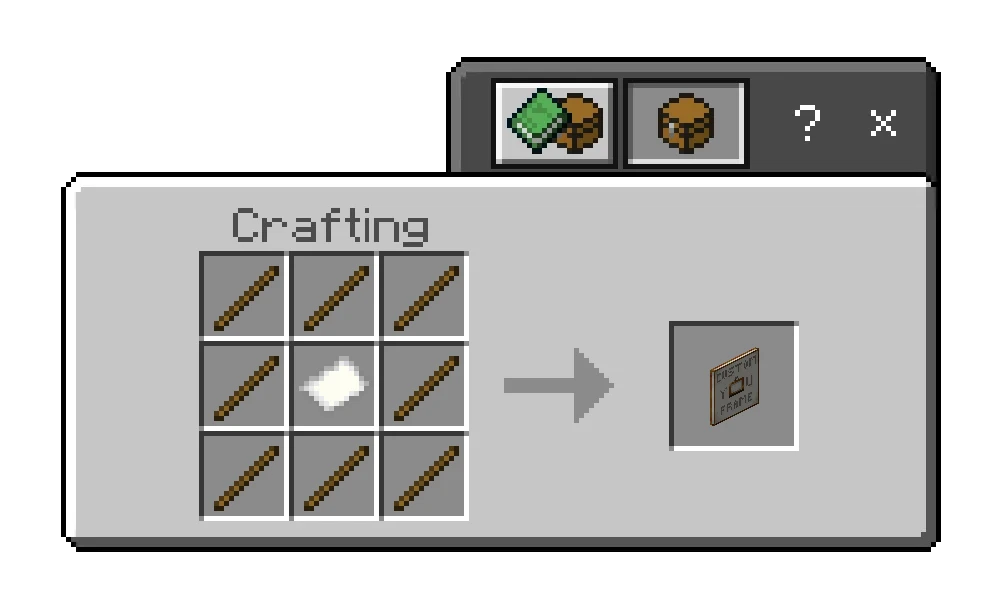
Custom Painting: Place 1 piece of paper in the center of the crafting grid and surround it with sticks.
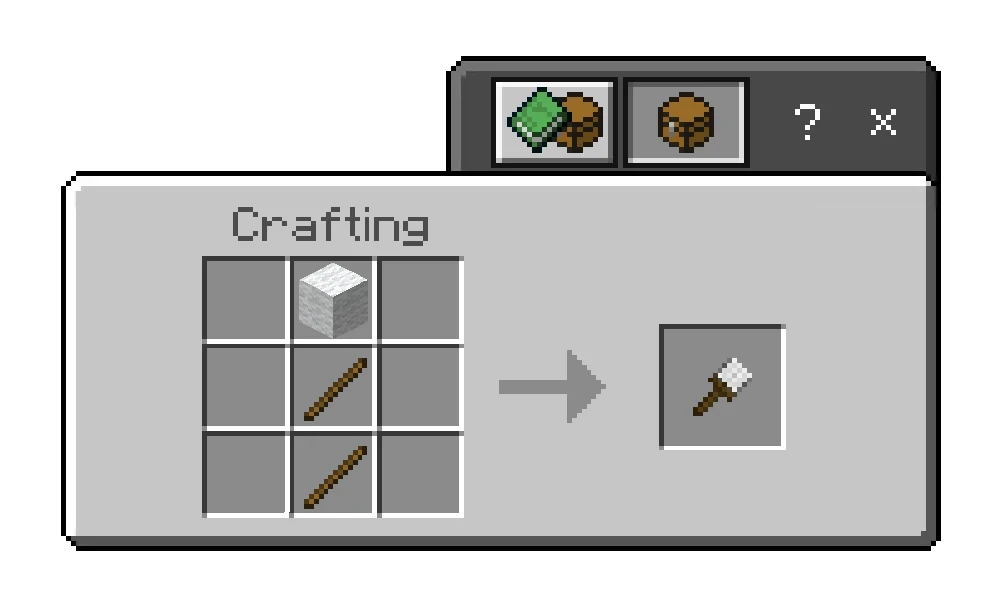
The Brush: Simple to craft—just 2 sticks and 1 block of wool.
TUTORIAL: Using the Web Editor
Since this addon is unique to your images, you must use the editor to build your pack:
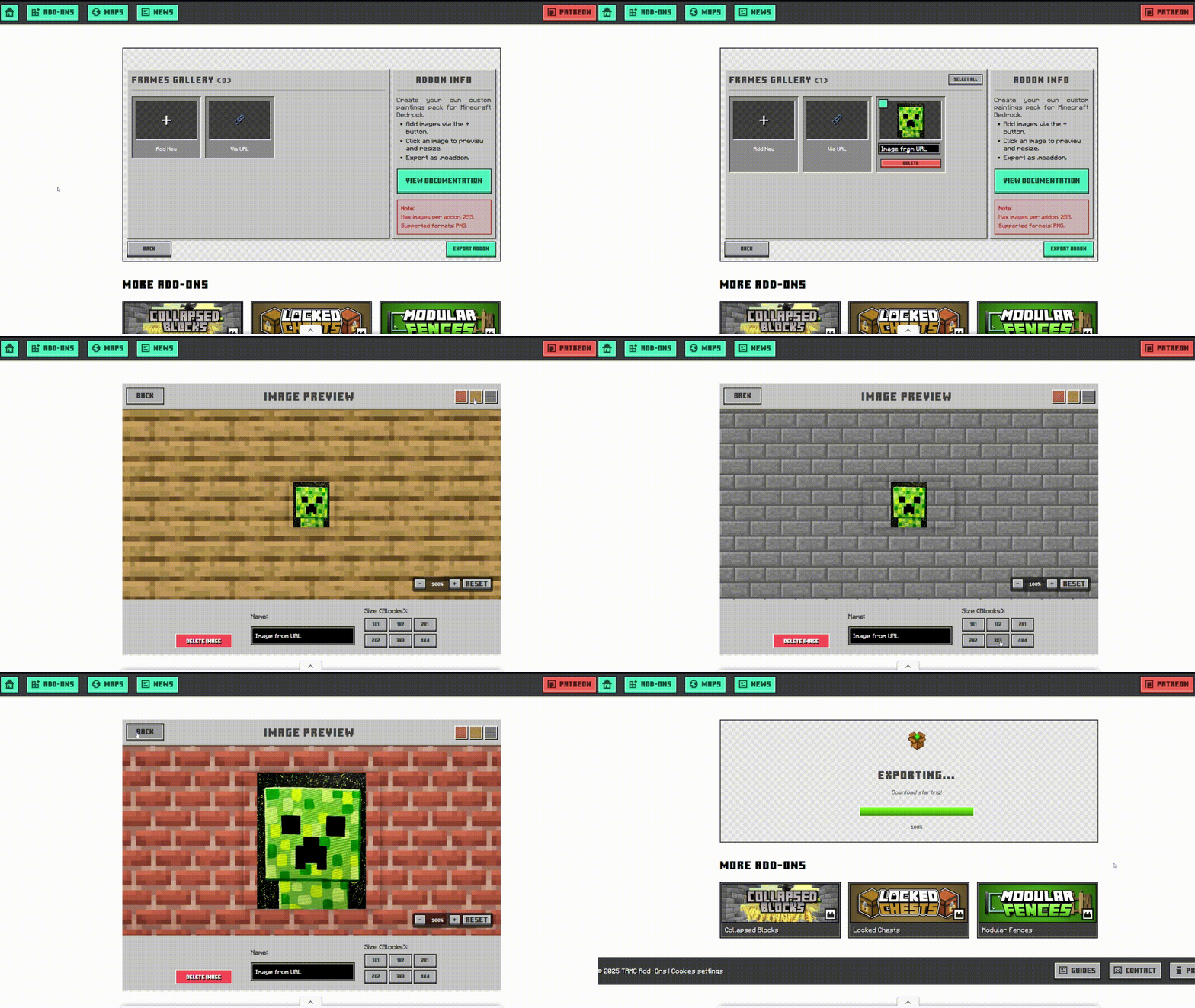
1. Start Your Project
Choose "Create New Project" to start fresh or "Import" to update an existing painting pack you've already made.
2. Adding & Previewing Images
Use the (+) button to upload local files or the Link button for URLs. Click any uploaded image to see a preview of how it looks on different Minecraft walls.
3. Exporting
Once you have added all your images, click "Export". The system will bundle everything into an .mcaddon file ready for you to import into Minecraft.
Creative Ideas
- Servers: Create custom signage, community rules, or high-definition maps.
- Memories: Hang real-life photos of friends or family inside your digital home.
- Art Galleries: Showcase high-quality digital art or personal drawings.
Frequently Asked Questions (FAQ)
-
Can I change the size after placing the painting?
Yes, use the Brush tool to open the UI and select different dimensions (up to 16x16 blocks). -
Why is my painting invisible?
Ensure the Resource Pack is correctly installed. If you added new images in the editor, you must re-download and update the pack in your world. -
Does it work on Realms?
Yes, as long as the host has both the Behavior and Resource packs active.