Sleeping Bags is an add-on that adds functional sleeping bags for Minecraft Bedrock.
These sleeping bags work like beds but with many more functions and features. Their features are as follows:
- Sleep whenever you want! This feature allows you to sleep during the day, at sunrise, sunset, in the morning, or even sleep multiple days in a row.
- Accelerate Time: This ability lets you speed up the world’s time to accelerate farms, crops, tree growth, etc.
- Spawn Point: This feature allows you to save (if you want) your spawn point in the sleeping bag.
- Sleeping in the End or Nether: This feature allows you to sleep in all dimensions without any issues or complications.
- Play with Friends: This feature lets you use the add-on in multiplayer, where only one person needs to sleep for the day to pass.
- Access Settings: This feature allows you to restrict functions in worlds and servers, letting you create the perfect experience for your server/realm.
The main use of these sleeping bags is for adventure, allowing you to explore your world without worrying about the spawn point or the time of day or night. A perfect example is long explorations. During these explorations, we need to sleep to pass the night, or sometimes we need the day to speed up so our crops grow. With the sleeping bag, we can meet our needs and explore with a vanilla experience.
Featured Images
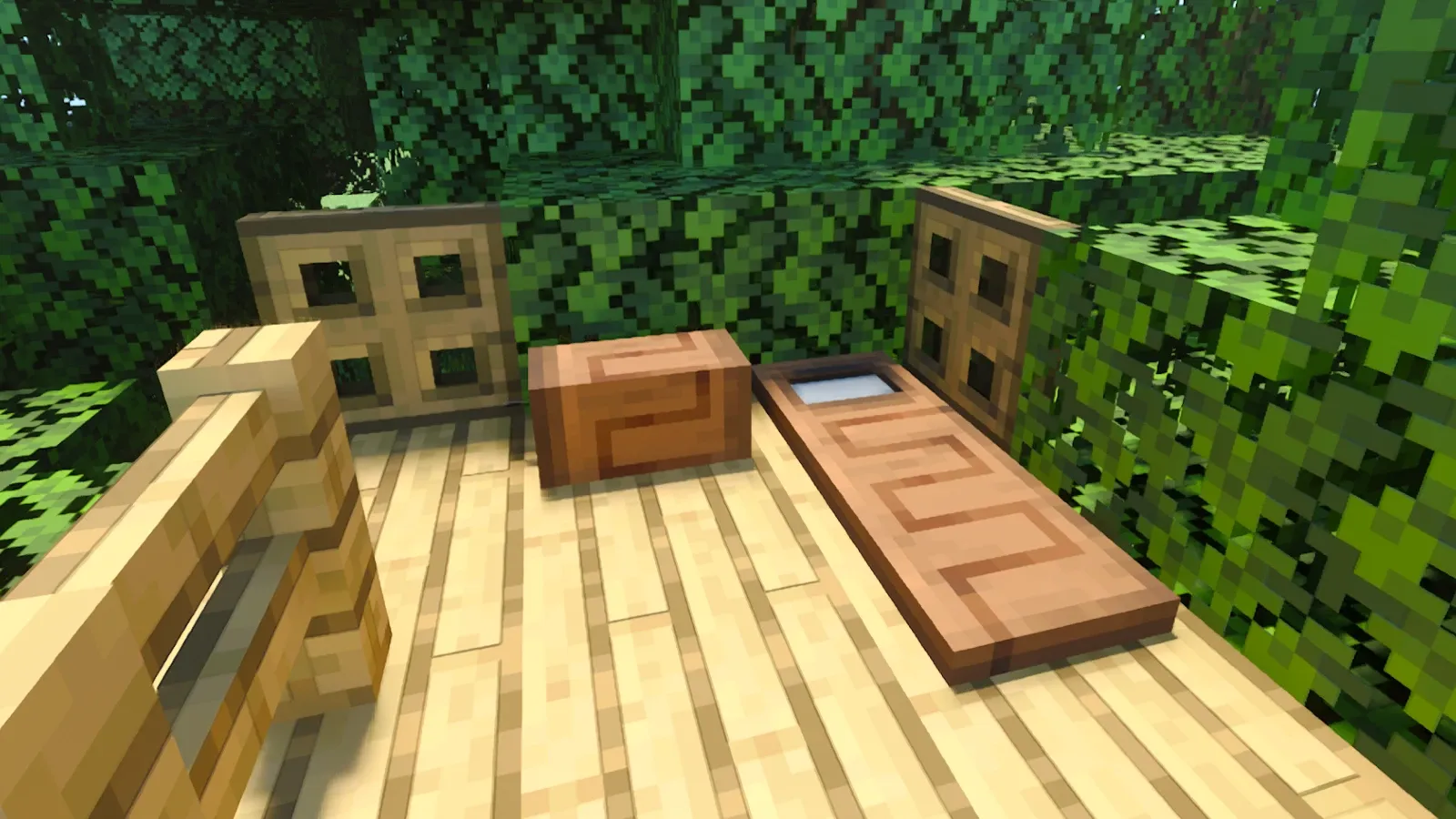
Image 1 of 3
Crafting
Creative:
Acquiring the sleeping bags in Creative mode is very easy. You just need to open the Creative menu and get the desired sleeping bag (variants and colors). If you want to acquire it through commands, simply type /give sb: (here you will choose the desired sleeping bag).
Survival:
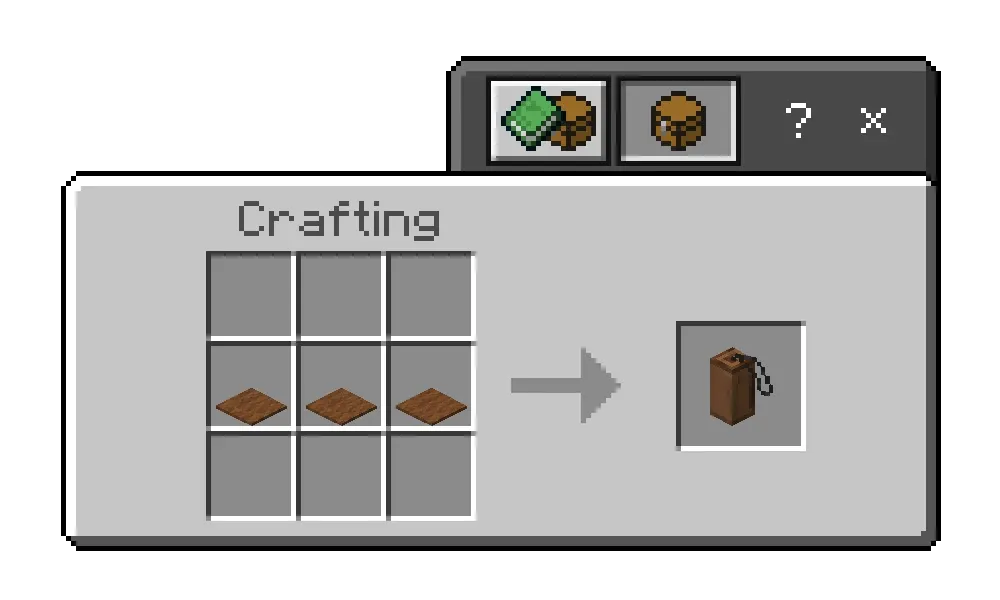
To craft the sleeping bags, you will need a crafting table and carpets. The carpets will need to be of a specific color, and you will place them in a line of 3 in the middle. Once done, you will have a sleeping bag.
Patterns:
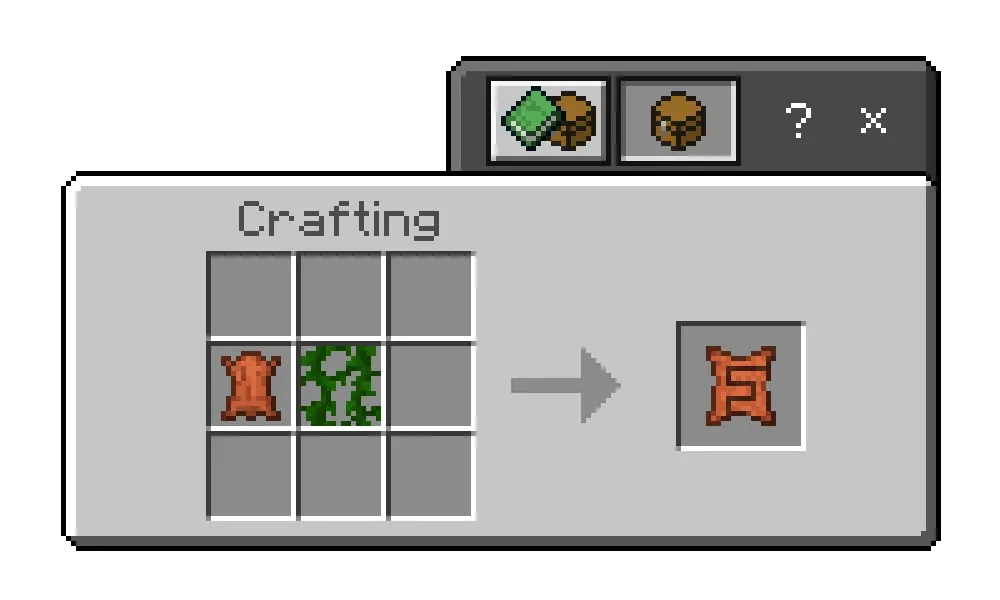
Patterns are the ideal way to add a variant of shape or "pattern" to the sleeping bag. The process to create them is simple. We will need leather and a special item (this special item will depend on the desired pattern). In this case, the special item will be vines. We place them together in a crafting table, and that's it, we will have created the pattern.
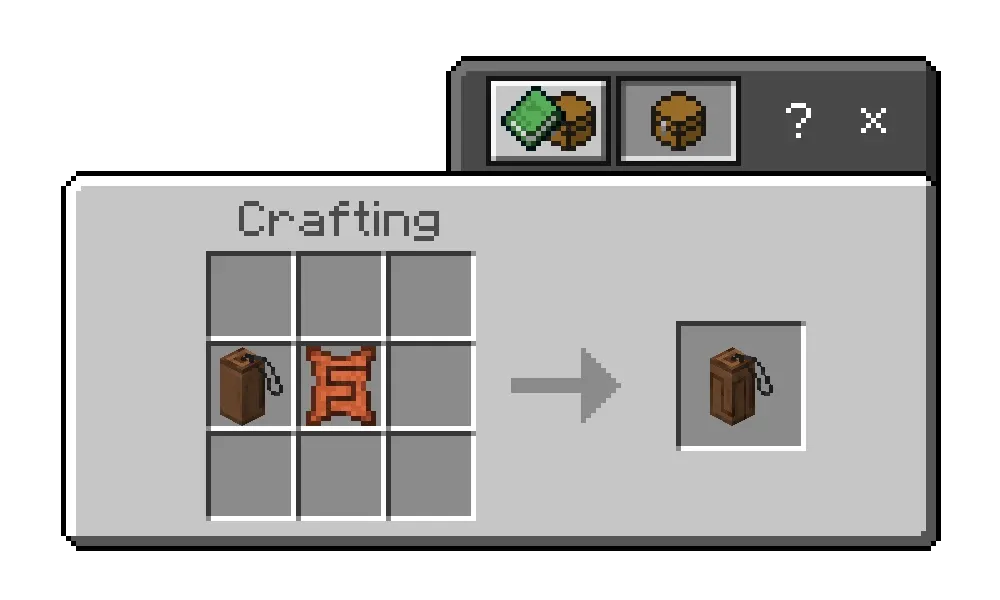
To apply it, we simply place the pattern and the sleeping bag together, and this will apply our desired pattern.
Language Support
- English
- Spanish
- Portuguese
- Chinese
- Japanese


Changelog
-
Update 1.3
LatestSleeping Bags 1.3
Added 2 new colors, back & white, with 3 variations each, totalling 6 new Sleeping Bags. Those are:
- Black Blank Sleeping Bag
- Black Snake Pattern Sleeping Bag
- Black Ladder Pattern Sleeping Bag
- White Blank Sleeping Bag
- White Snake Pattern Sleeping Bag
- White Ladder Pattern Sleeping Bag
Added Español (México), Portugûes (Portugal),
Renamed "Only allow sleeping at night & when raining" to "Only allow sleeping at night" due to weather detection limitations.
Sleeping Bags now clear weather for 0.5–7.5 days randomly when "Clear Weather after Sleeping" is enabled, mimicking vanilla behavior.
Improved tickrate reset consistency after Sleeping Bag use. Periodically, a function will reset the tickrate if there were problems with Sleeping Bags usage last time it was used. The tickrate it will reset to is 1 by default, but this can be changed in the Sleeping Bags Settings item.
Sleeping Bags can no longer be moved by a piston.
Sleeping Bags can no longer burn.