Locked Chests is an Add-On that adds chests with advanced security systems and optimized storage solutions. Protect your loot with key locks and owner-only access, set shared permissions for trusted players, and get tamper alerts when someone tries to break in.
The Add-On introduces more than 80 new fully usable chests. These chests primarily feature new designs and come in over 12 different wood variations, along with some more metallic-style options. Besides chests, the Add-On also includes additional containers, such as modern cabinets and other storage solutions. The Security System is based on two methods:
Keys:
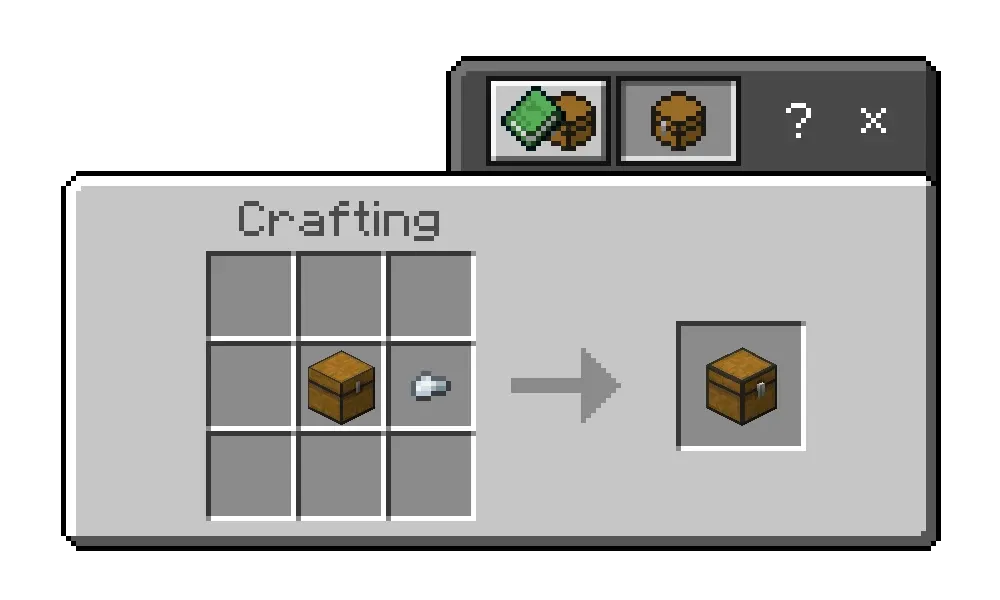
The key-based system allows chest owners to create and distribute keys. Only users with a valid key can access the chest. If a player does not have the correct key, they will be completely unable to open it.
Owner Protection:
If the owner does not want to risk losing a key and getting robbed, they can enable this system. When activated, only the owner will be able to access the chest, ensuring complete security.
Key Customization:
If you choose to use keys, you can customize them in multiple ways. You can select different textures, such as copper, iron, or rusted versions. Additionally, you can add a **name and description** to the key.
Even if someone tries to create an identical key to yours, it will be **impossible to use** since each key has a **unique ID** that distinguishes it.
If you don’t want to lock your chests, they will behave just like a vanilla Minecraft chest, allowing you to choose from all available options.
Featured Images
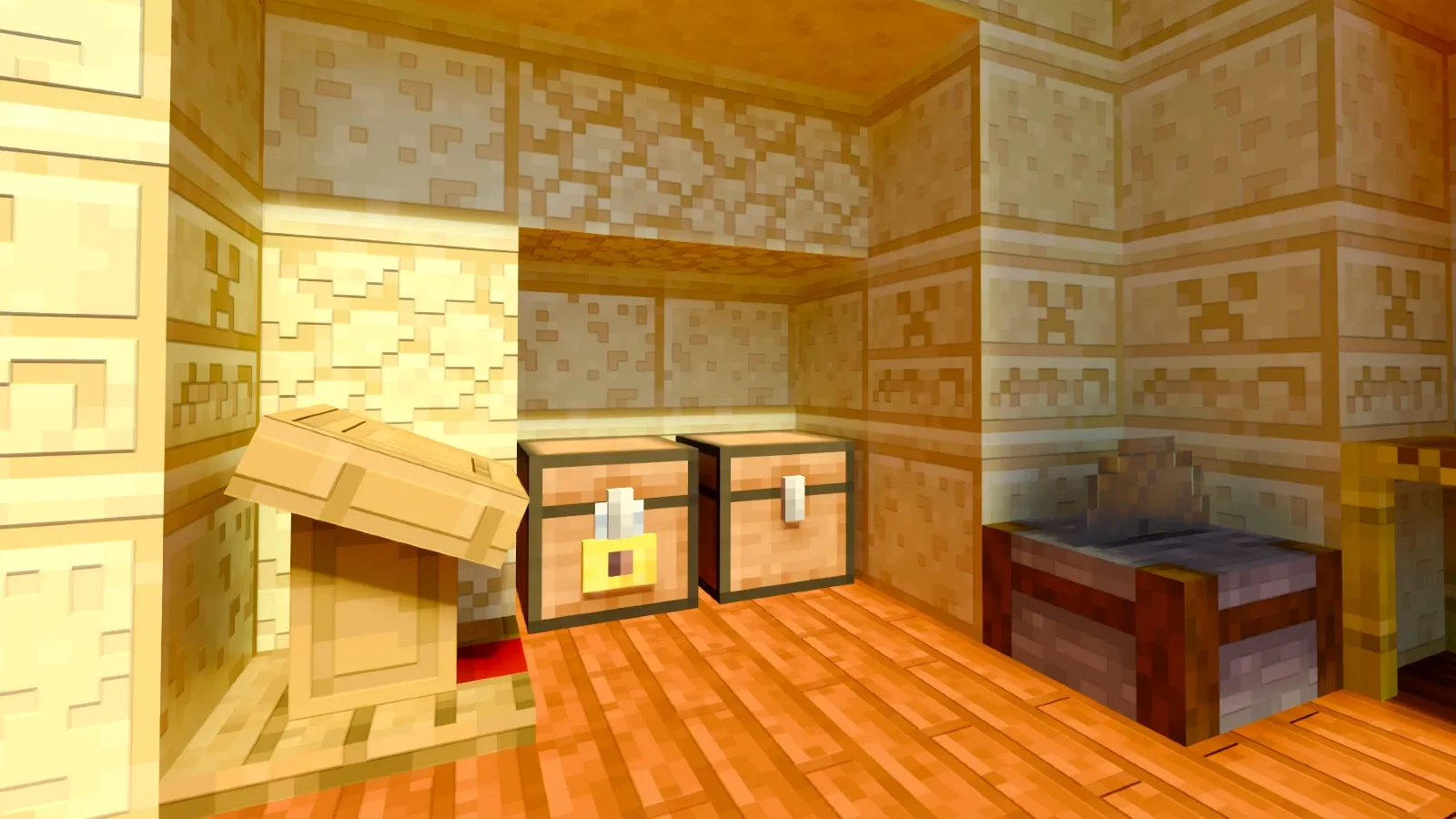
Image 1 of 5
Crafting
Creative:
In Creative Mode, you can obtain the chests in two ways, by searching in the Decoration category of the creative menu. They will appear at the very end of the list or using the command /give lc:(choose the chest you want).
Survival:
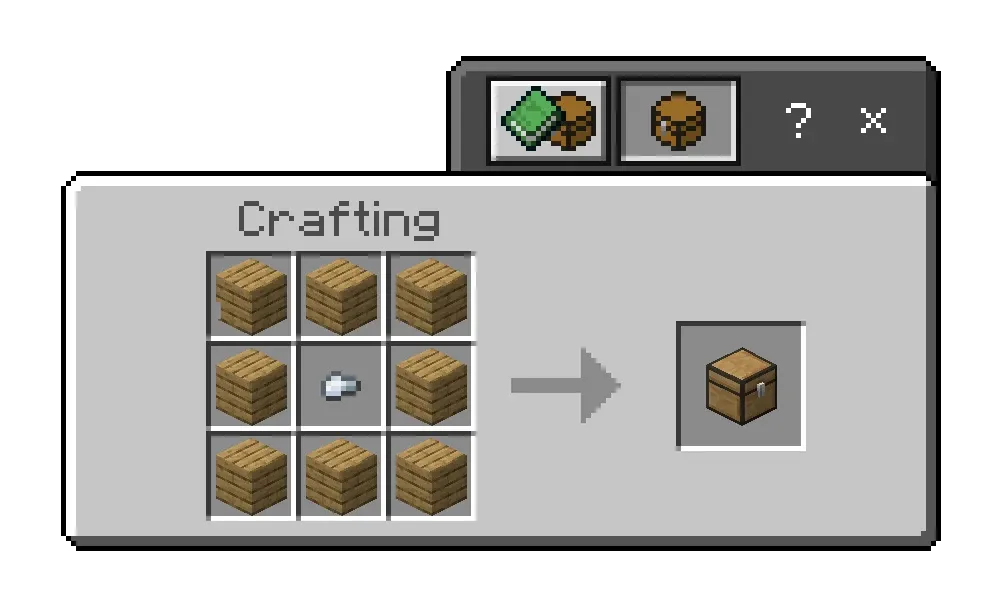
If you want to craft it in Survival Mode, you will need a crafting table, the specific type of wood you want to use, and an iron nugget.
The crafting order is simple: place an iron nugget in the center slot, and fill all the remaining slots with the chosen wood type. This will allow you to craft the chest of your choice.
In the quick crafting menu, all available chest variations, such as cabinets and other storage types, will automatically appear.
Language Support
- English
- Spanish
- Portuguese
- Chinese
- Japanese


Changelog
-
Update 1.4.3
LatestUpdate 1.4.3
test
-
Update 1.4.2
Several Bugs Fixed!
Locked Chests 1.4.2
Several Bugs Fixed!
-
Update 1.4.1
Gold, Emerald, Diamond and Pale Oak chests added
Locked Chests 1.4.1
- Gold, Emerald, Diamond and Pale Oak chests added
- Added Español (México), Portugûes (Portugal),
- Fixed a bug where you’d be able to access the chest entity container by using certain angles even if the chest was locked (thanks to David8883672 for notifying it). This would happen on mobile and consoles because there’s some kind of control assist that lets you interact with entities even if they are blocked by a hitbox or selection box. Guess what, that does not happen on PC, where I program and test everything. This has been fixed now.
- Chests are now unmovable by pistons, preventing a bug where the contents of the chest would disappear.
- Last minute update: somehow, the 1.21.80 update broke Locked Chests. The 1.4.1 version works, please download this new version if you downloaded the 1.4 previously, and please notify us of any broken functionalities if you encounter them in other addons.