endermen76428

Walking around the world, you may have come across incredible structures or beautiful places, but they were too far away to visit or build an incredible house, but with Waystones you will be able to teleport between worlds and dimensions.
Coloring Waystones:
Using a dye in a activated waystone, it will paint the waystone text, there are 16 colors.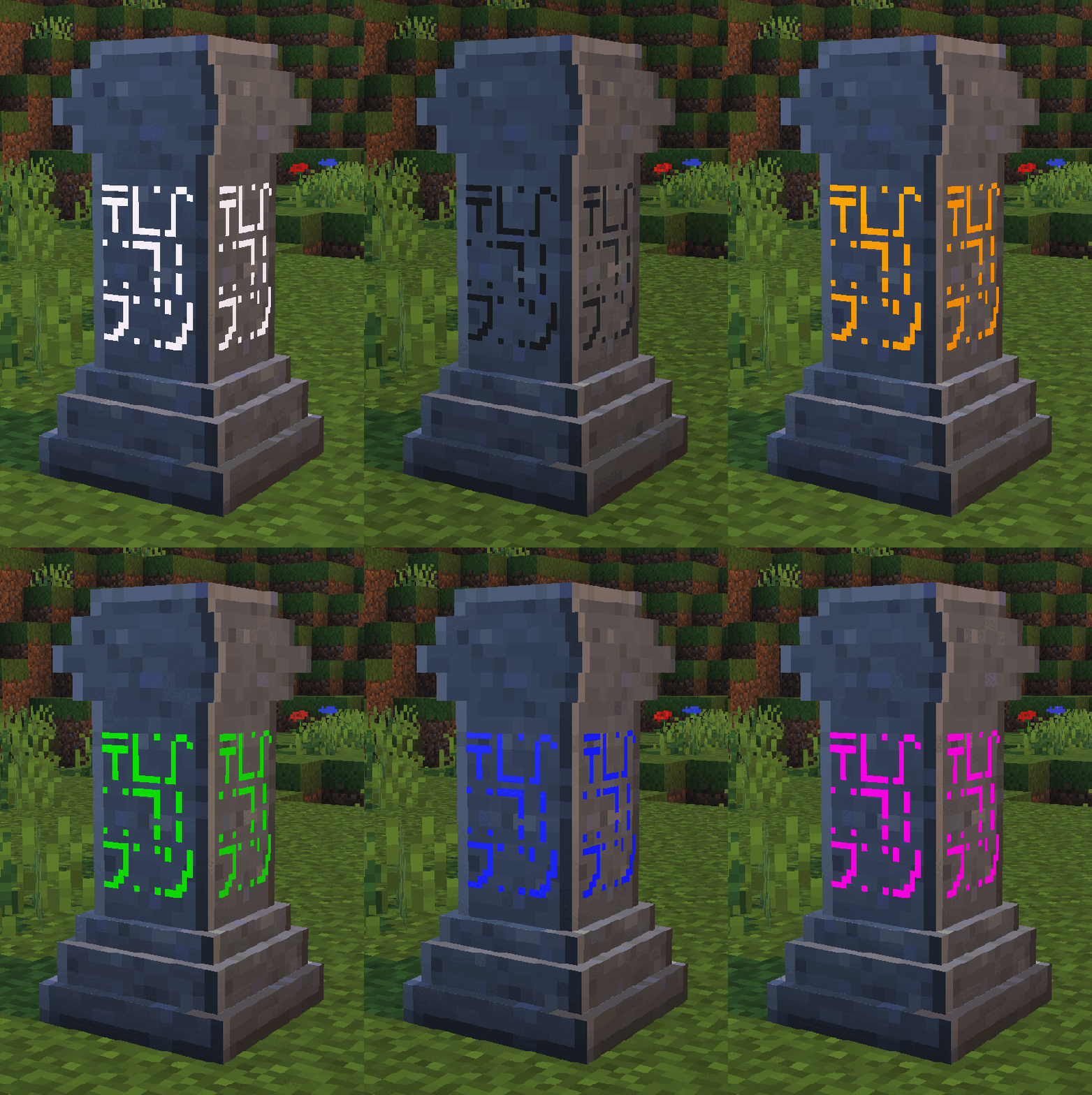
Register Waystone:
When you place the Waystone on the ground, a screen will appear where you can name your waystone and define whether it will be public. (Public waystones can be used by other players even if you have not claimed them)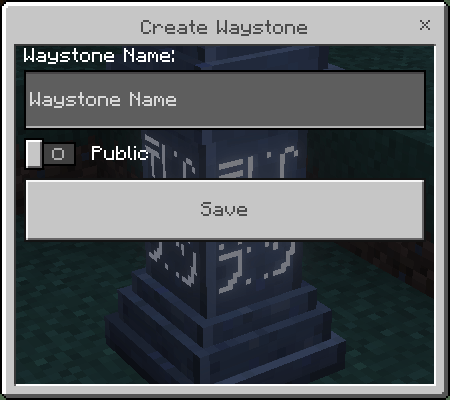
Claim Waystone:
To claim a waystone you just need to interact with one, it will play a sound if it is successfully claimed. Be careful where you place your waystone in your secret base :)
Teleport Between Waystones:
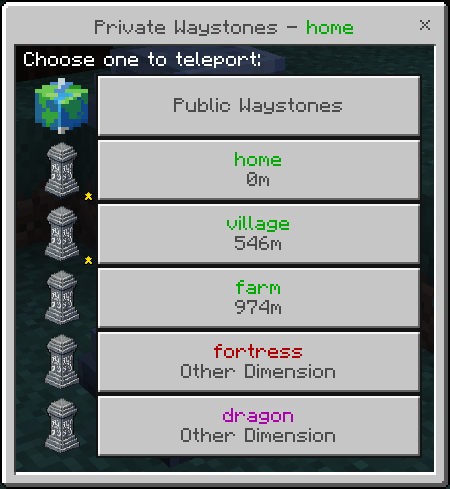
After creating your waystone, click on it again to access a screen with all your private and public waystones.
- Each dimension will have a color;
- If a Waystone is more than 700 blocks away, you will need XP to teleport it. (1 level every 700 blocks)
- Between dimensions it always costs 3 levels;
- Waystone play a sound when teleport;
- Favorite Waystones always will appear on the top of the list.
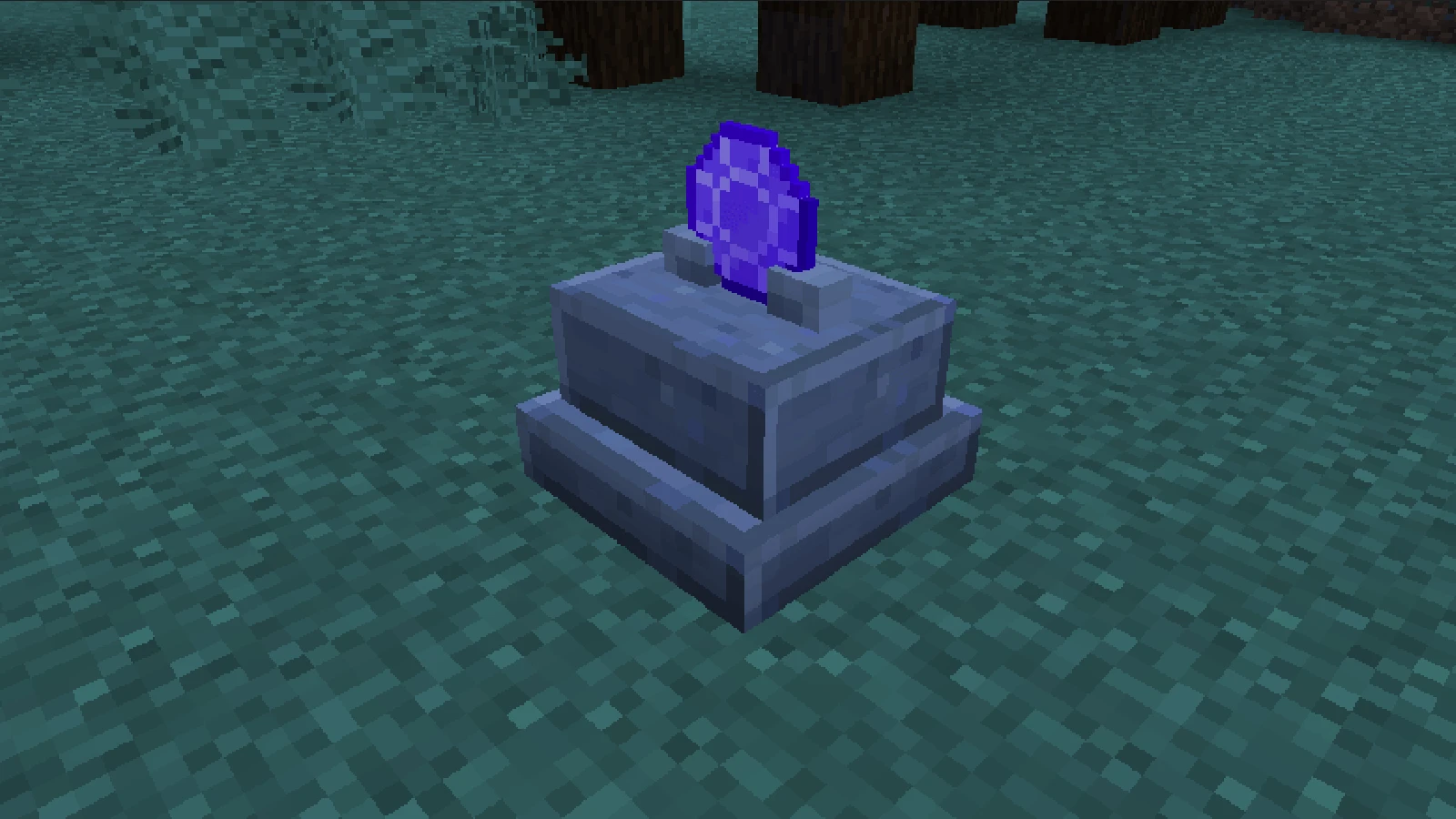
- Warpstone Pedestal: It works the same way as any other waystone, but you can't create a point where you place the pedestal you only can teleport to other waystones already created.
Perfect to place at your secret room, where you can leave but no enter.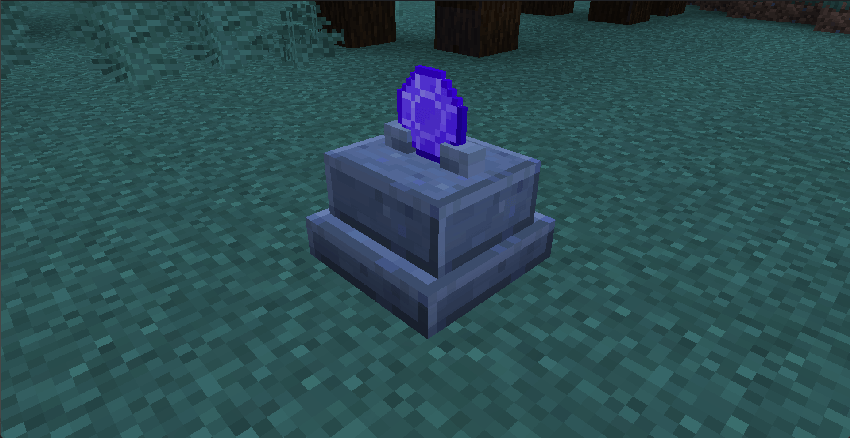
- Teleport Items:
Have 3 Items to teleport without a waystone:
- Warpstone: You use it to create a waystone but also has a function, it makes it easier to not need to interact with a waystone to teleport. (60s cooldown after use)
- Golden Feather: Similar to Warpstone but consumed on used.
- Return Scroll: Similar to Warpstone but consumes durability on used.
Each teleport item play a diferent sound when teleport.
Teleporter Pad:
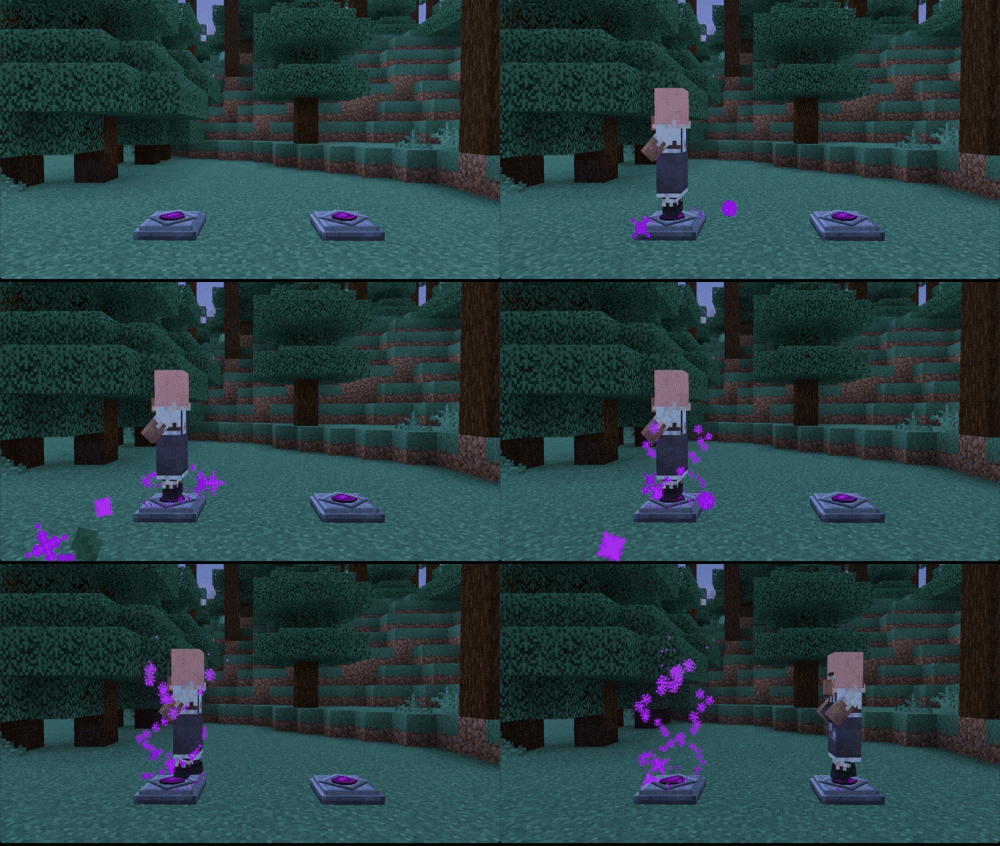
The Teleporter Pad is similar to a waystone, but here you only need to step on this block and you will be teleported to destination registered in the Teleport Shard;
After you create one Pad you can place it on the ground and it automatically registered the position of that Pad on the Teleport Shard.
The pad will become empty, and when you place another registered Teleport Shard on that empty pad, it will be linked to the Shard.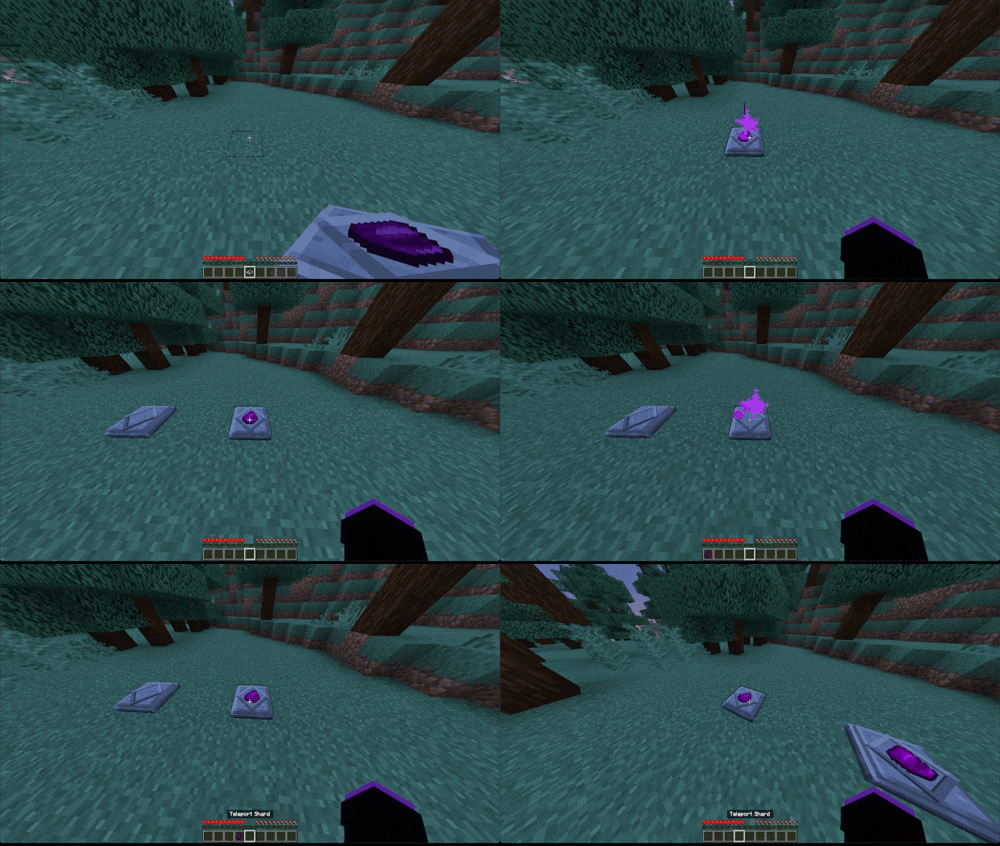
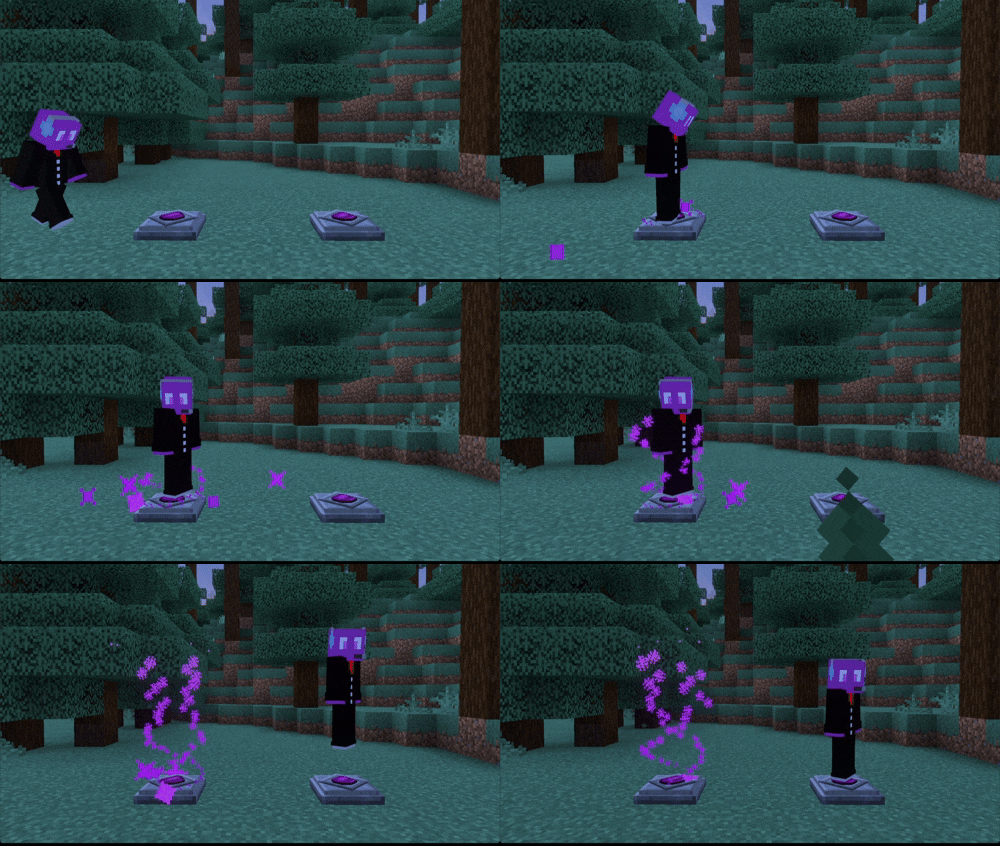
It also works with Items and Entities: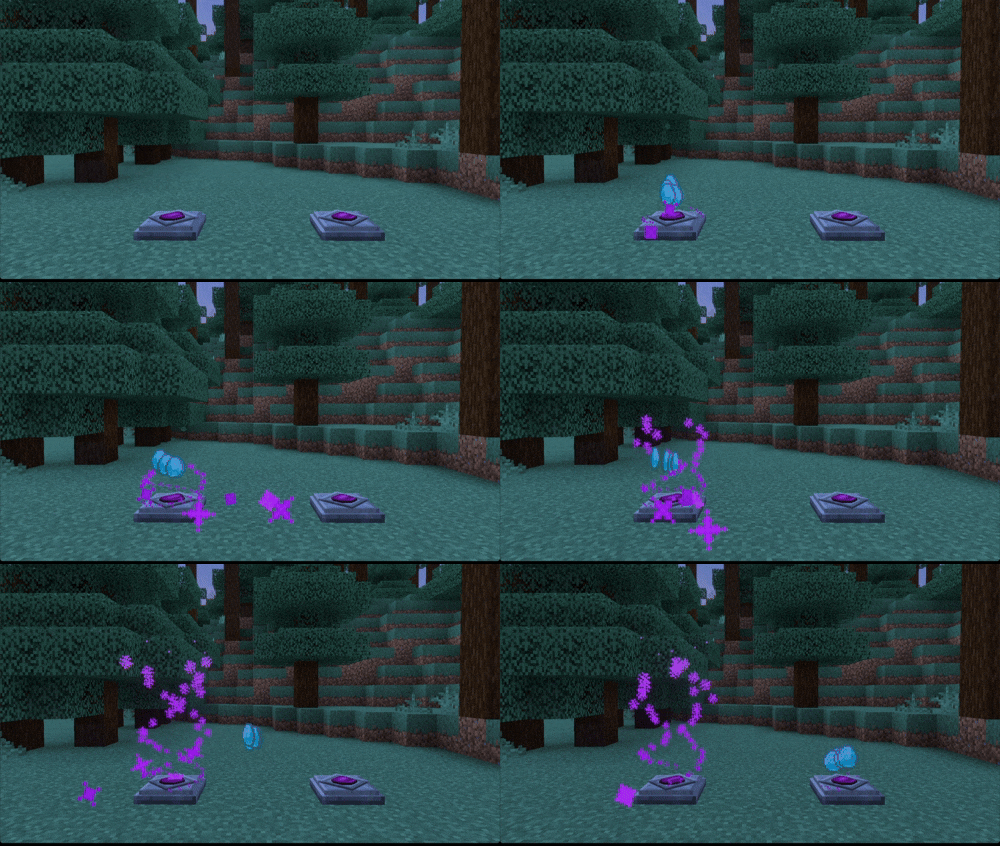
Waystone Settings:
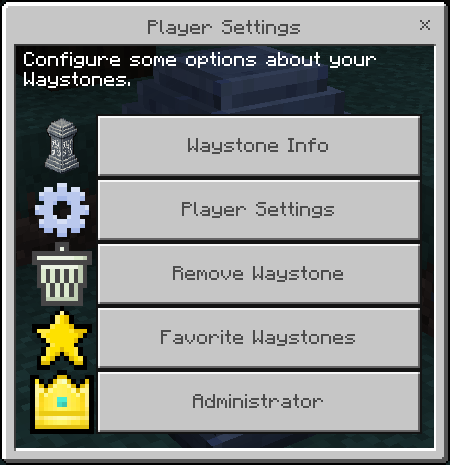
By clicking on the Waystone while hold the shift you access the Settings Screen:
There are some buttons:
- "Waystone Info": Informations about this Waystone that you are using;
- "Player Settings": Where you can change your informations;
- "Remove Waystone": To remove some Corrupted Waystone or any other that you created before;
- "Favorite Waystones": Select some Waystone to be displayed at the top of the Waystones List;
- "Administrator": Change essentials functions of the Addon (Need "admin" tag).
- Waystone Info:
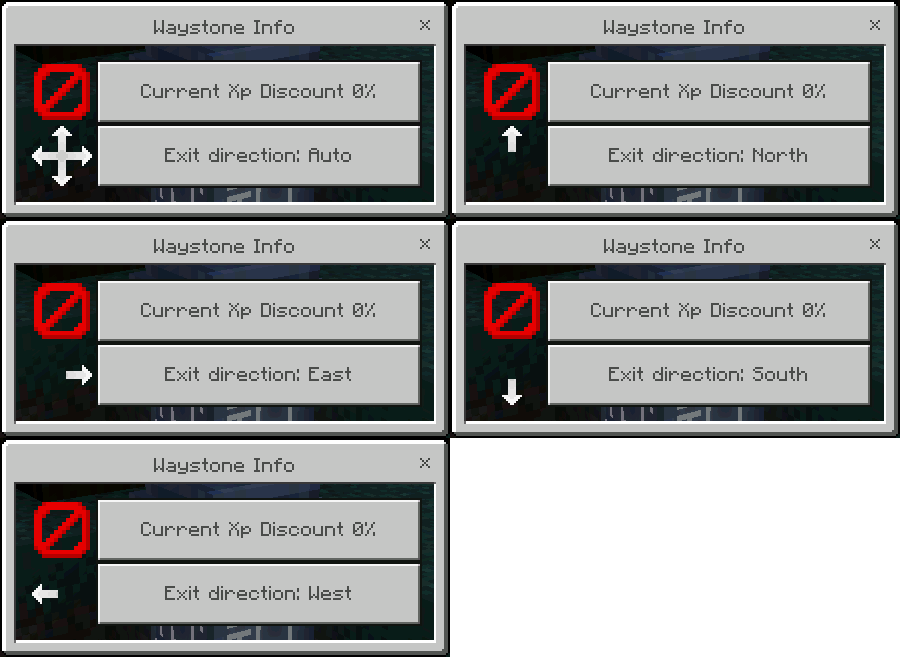
Here you can know some informations about this waystone, like:
- The current discount level for teleports from this waystone (Click to remove upgrade);
- Which direction who teleport to this waystone will appear.
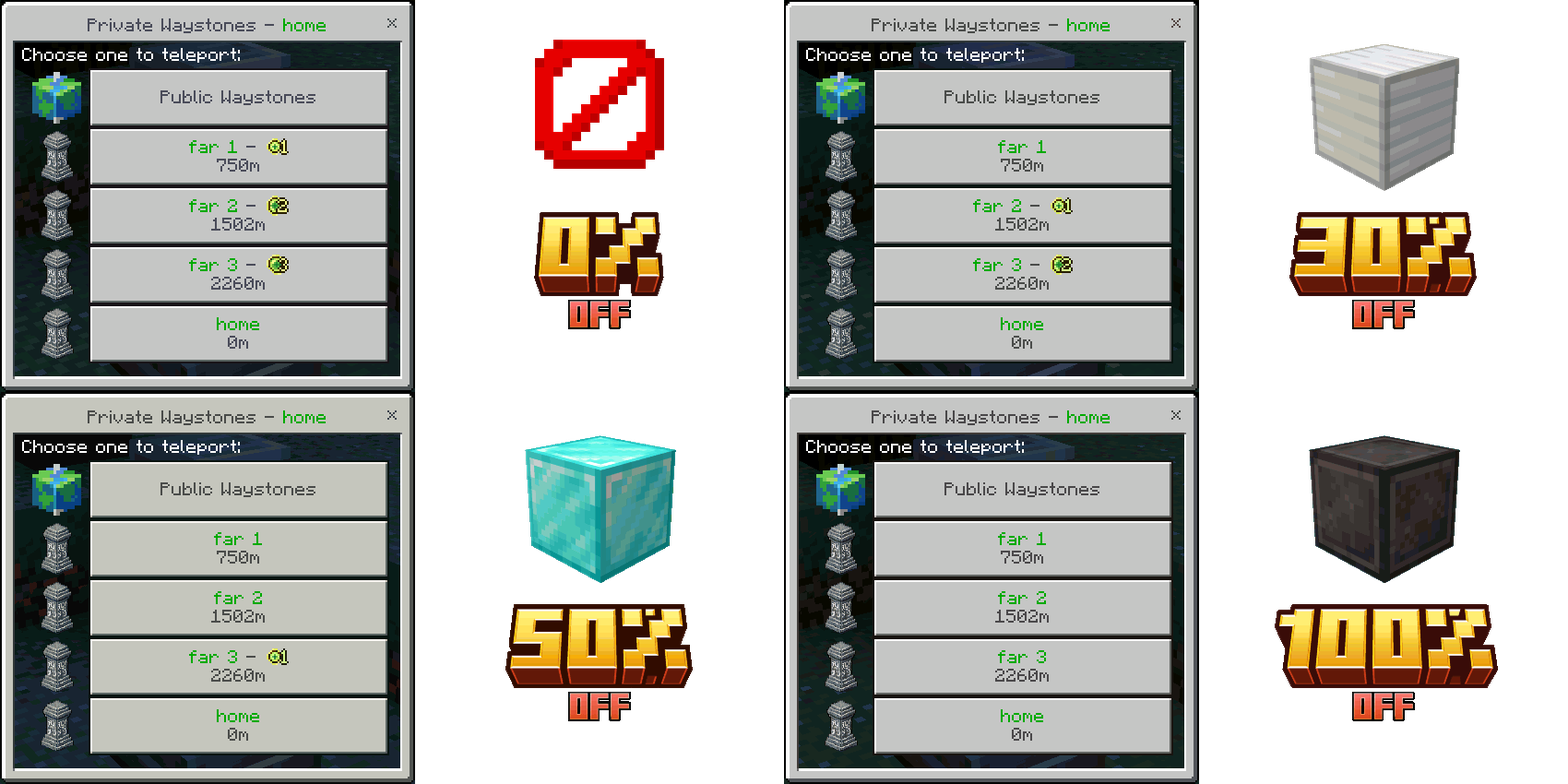
Discount level is represented by Ore Blocks, to set a upgrade discount you only need to hold the ore block in your hand and interact with your waystone:
- None: Has 0% of Xp Discount;
- Iron Block: Has 30% of Xp Discount;
- Diamond Block: Has 50% of Xp Discount;
- Netherite Block: Has 100% of Xp Discount;
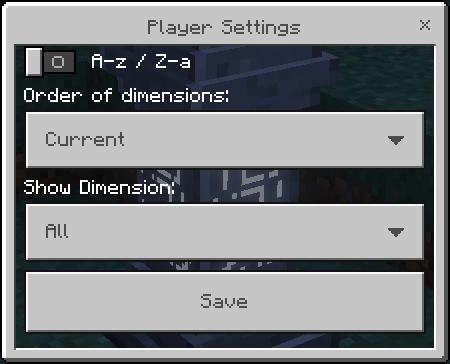
- Player Settings:
Here we have some configuration like:
- "A-z / Z-a": Alphabetical order of the Waystones list;
- "Order of Dimension": Which dimension will appear first in the list;
- "Show Dimension": Which dimension will appear exclusively in the list.
- Remove Waystone:
Now you can remove yours created Waystones, only select which Waystone you would to delete and confirm.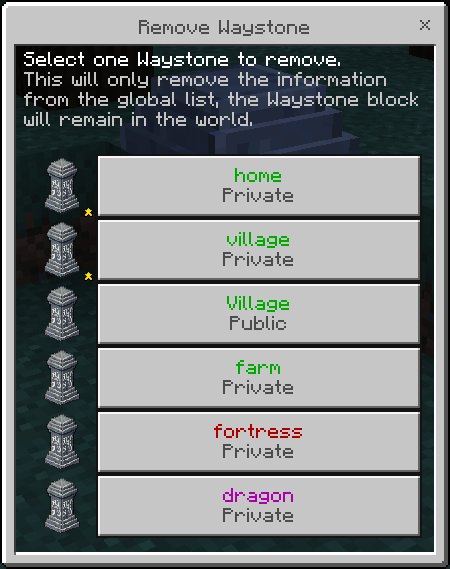
- Favorite Waystones:
Select which section you want to set or remove your favorite waystones;
Favorite Waystones always will appear at the top of the list;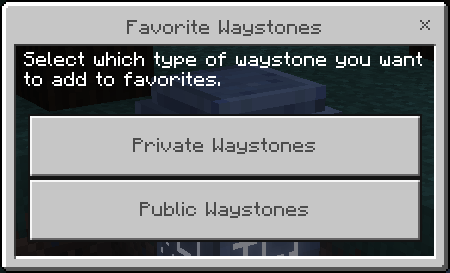
The toggle is enabled that waystone is marked as favorite otherwise it will be considered a normal waystone.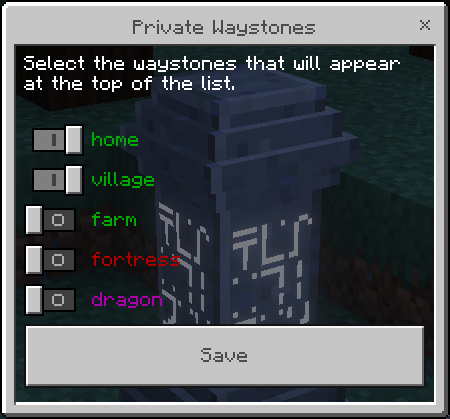
- Admin Panel
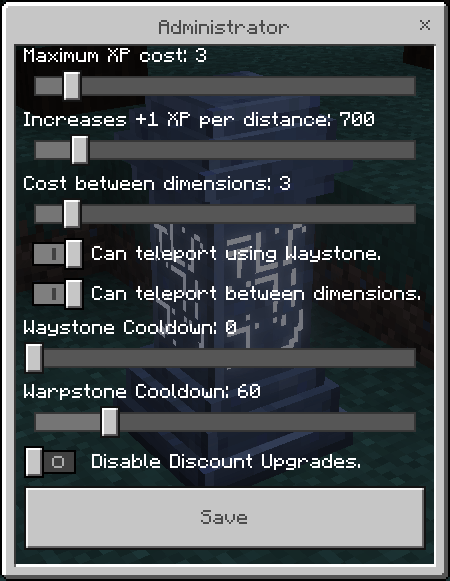
To acess the Admin Panel you will need the tag "admin", so run the command "/tag @s add admin";
Here you can configure:
- Maximum Xp Cost: The maximum XP cost a teleporter can have;
- Increase Xp Distance: The XP will be based on the selected distance;
- Cost Between Dimension: Cost of XP per teleporter between dimensions;
- Can Teleport Waystone: If teleportation via waystone is allowed (if not, only teleportation items work);
- Can Teleport Dimension: If it's possible to teleport between dimensions;
- Waystone Cooldown: Set a cooldown in seconds to use Waystones;
- Warpstone Cooldown: Set a cooldown in seconds to use Warpstone;
- Disable Dicount Upgrade: Disblade the Xp Discount Upgrade.
Convert Waystone into Warpstone:
To convert use a brush on any Waystone to transform it into a Warpstone.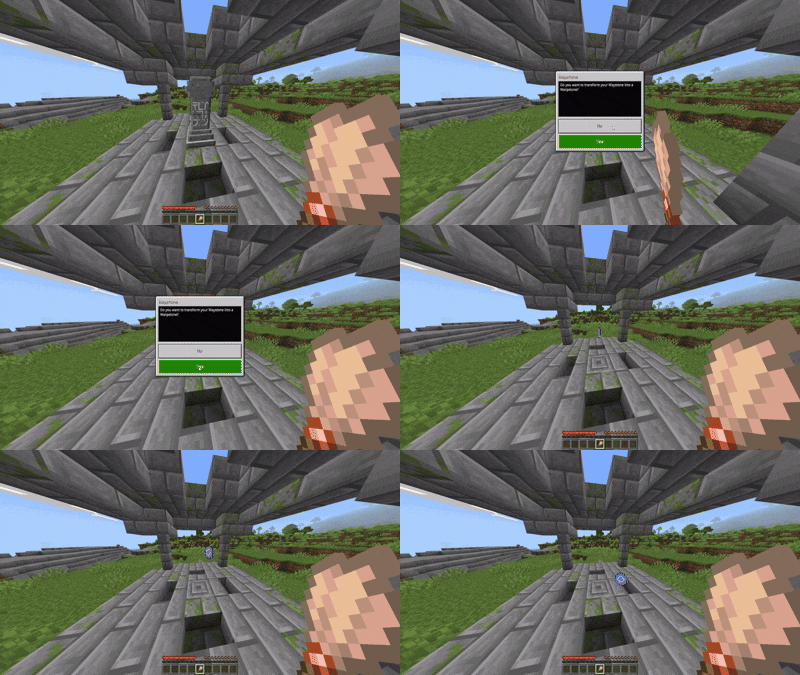
Waystone Placer:
Run the command "/tag @s add waystone_placer", after this use a netherite sword to select which waystone category you want to place.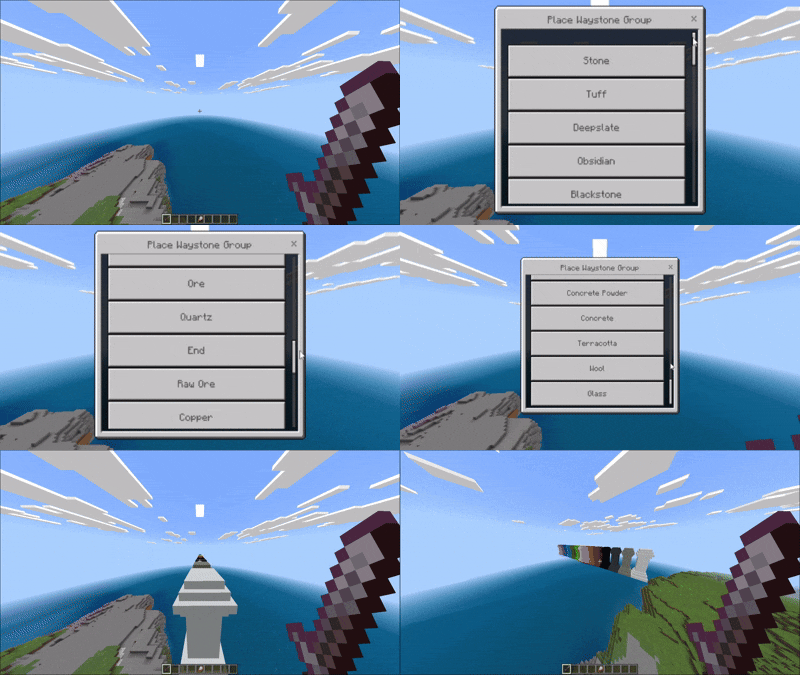
- Structures:
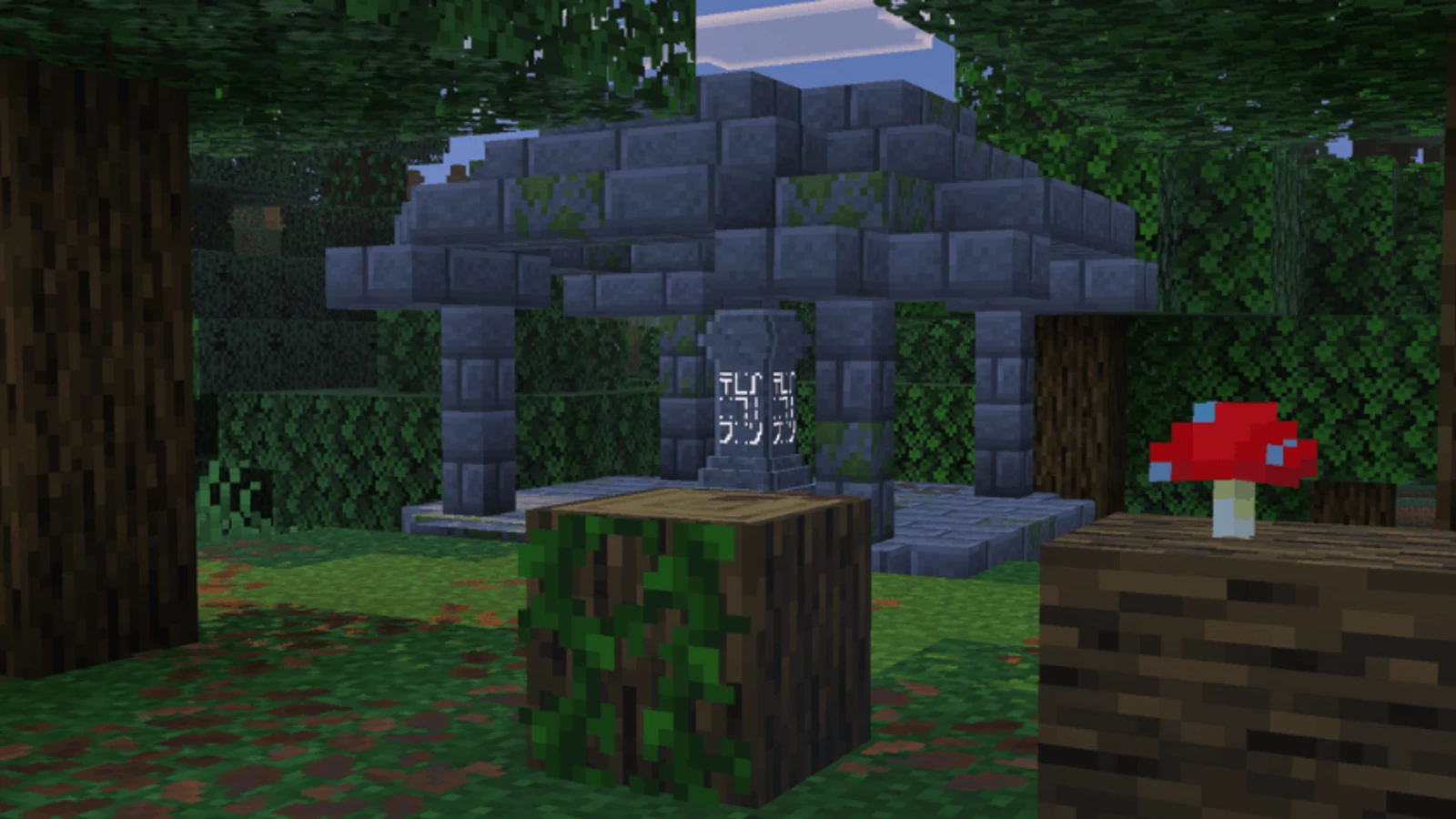
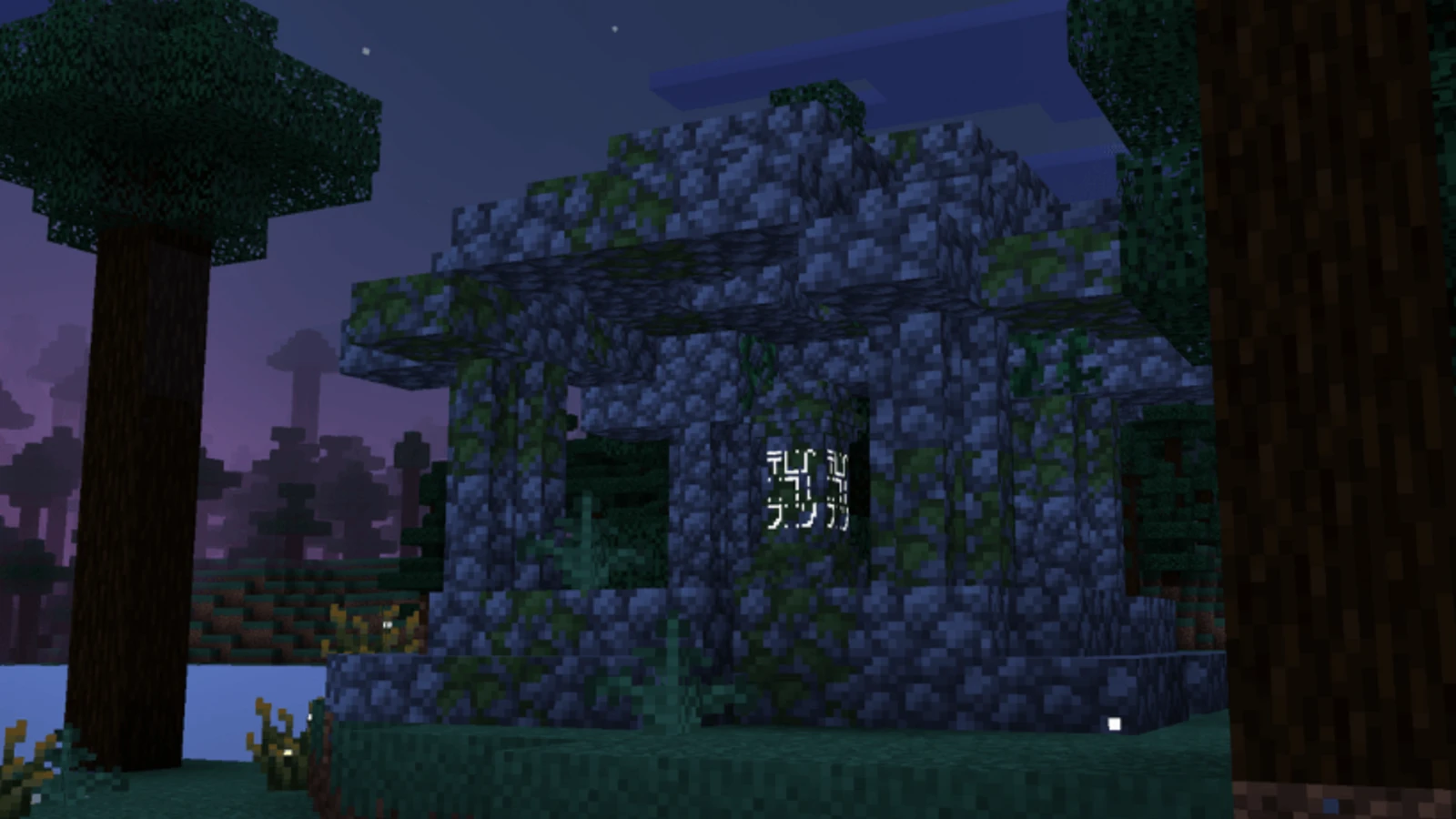
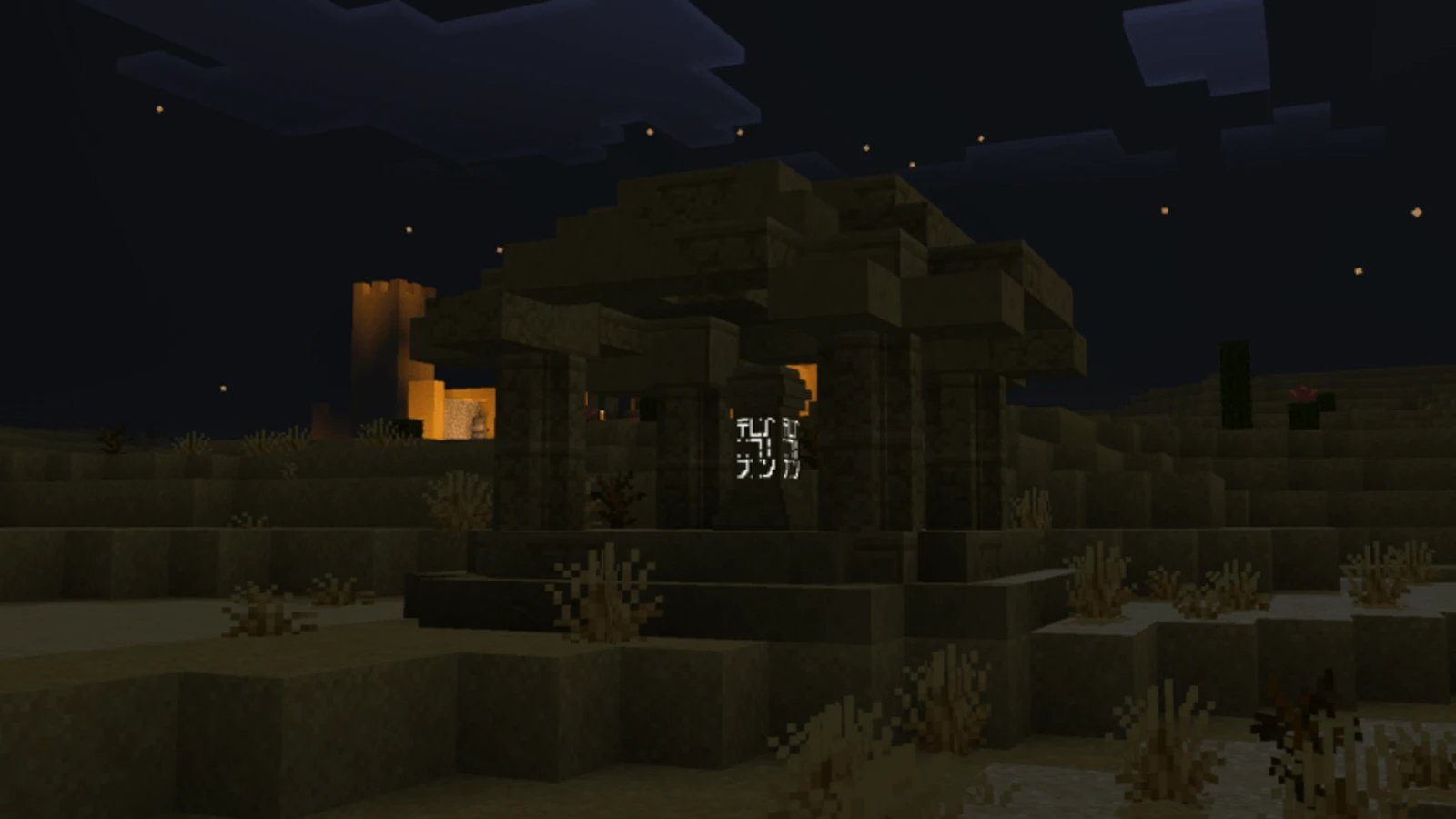
Structures with a waystone can now appear in the overworld.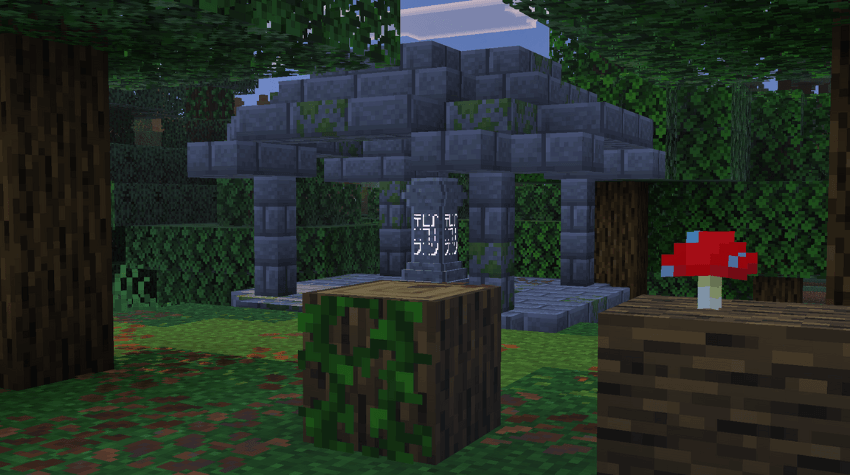
- Other Infos:
- This addon don't disable Achievements;
- This addon don't use player.json;
- This addon is compatible with other addons.
Images


Waystone
To create a Waystone you first need to create a Warpstone. And With it and any material you can create your Waystone: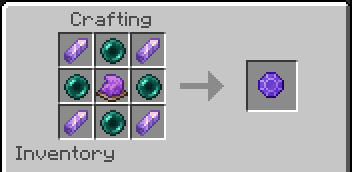
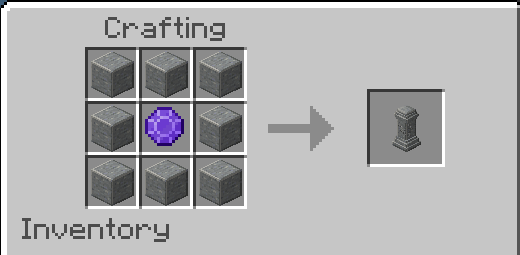
Warpstone Pedestal
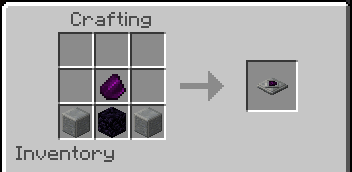
To create the Warpstone Pedestal you need 3 Obsidian, 3 Polished Andesite and 1 Warpstone.
With this block you can teleport like a normal Waystone;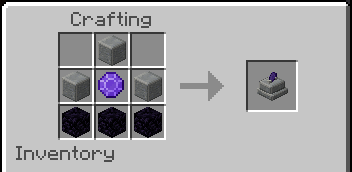
Teleporter Pad
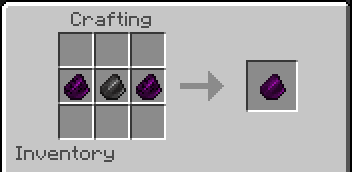
To create the Teleporter Pad you need a Broken Teleporter Shard and a normal Teleporter Shard.
With this when you step on this block you can teleport to destination registered at the Teleport Shard.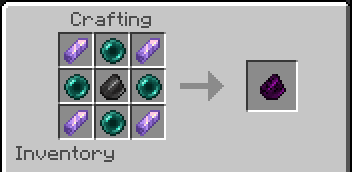
Waystones Variants
- Stone: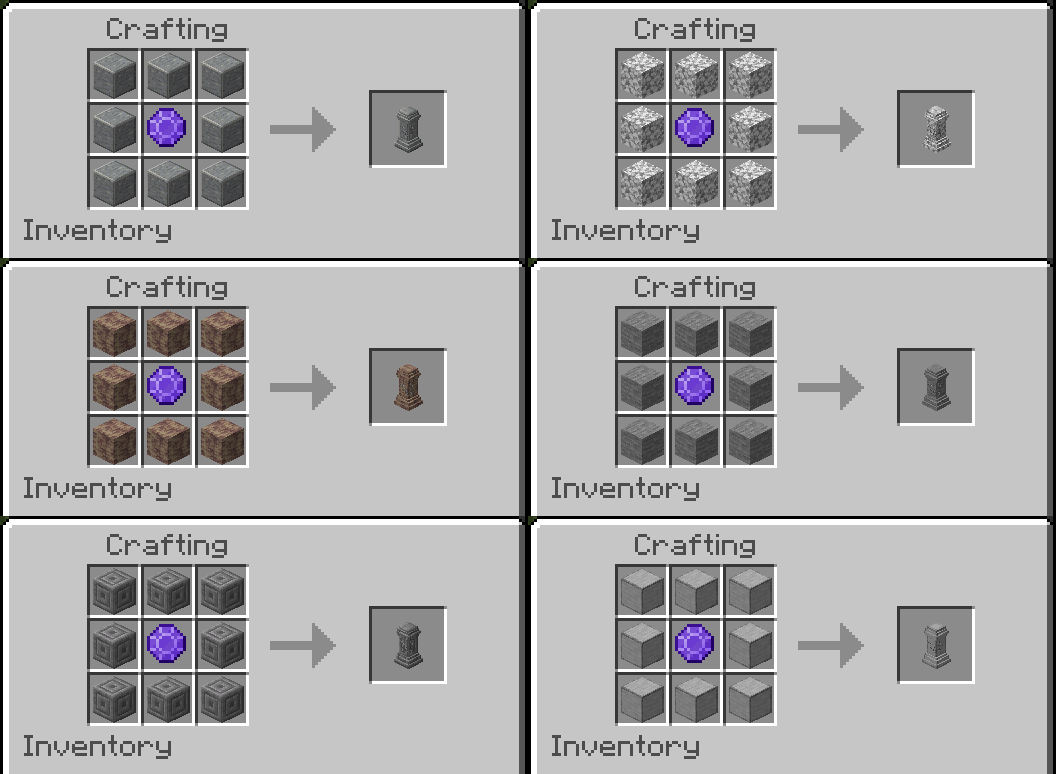
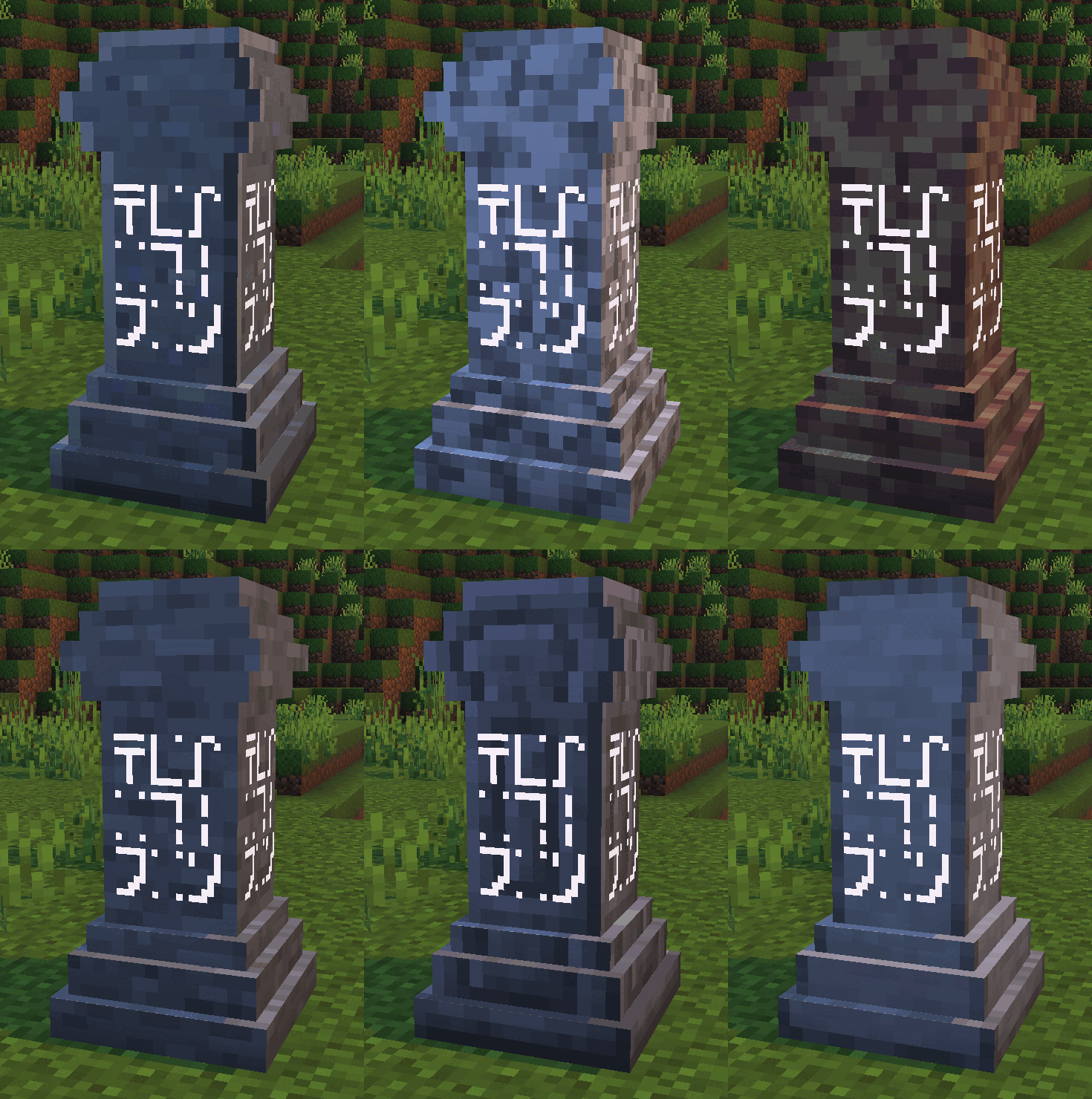
The addon includes many other variants such as Tuff, Deepslate, Obsidian, Blackstone, Basalt, Nether, Ice, Prismarine, Sand, Wood, Sculk, and more.
Language Support
 English
 Portuguese
Changelog
Downloads


MC Server List
Browse Bedrock Servers