
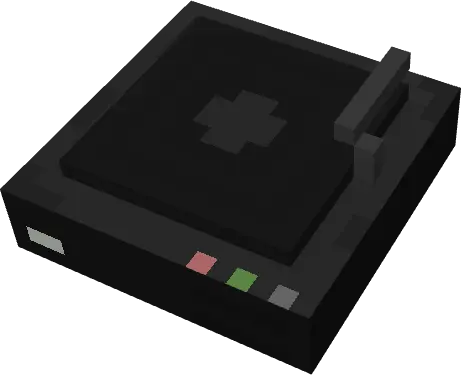
—
—
Lista
Agustheking

Custom Music is a fully customizable addon for Minecraft Bedrock that allows you to turn your own songs and audio files into functional music discs in the game. Through our web editor, you can upload your songs (MP3, WAV, M4A, AAC, FLAC, or OGG), listen to them before exporting, customize the title, artist, and square cover art for each disc, and automatically generate your own ready-to-install .mcaddon file.
Sponsored
Main Features:
Custom Music Discs:
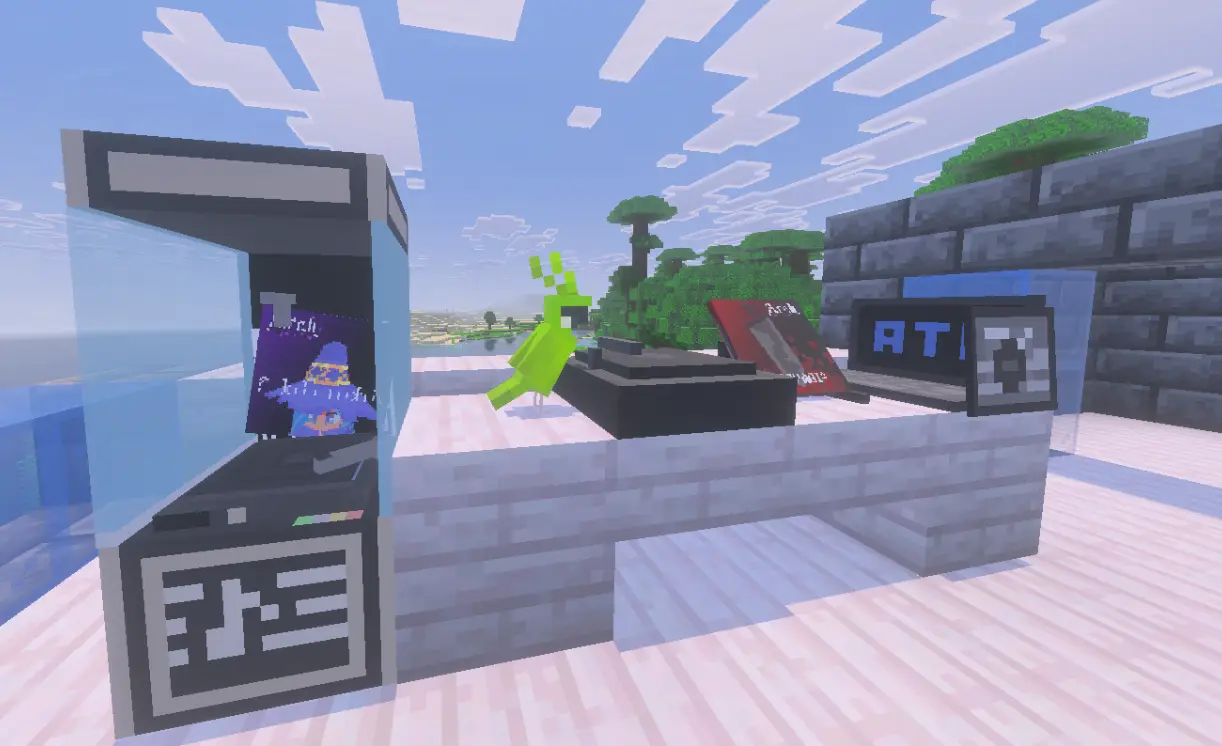
Each song added in the editor generates its own music disc with customized cover art, title, and artist.
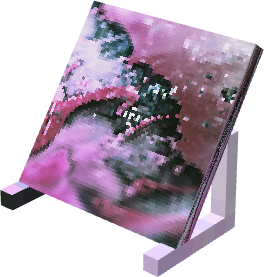
Custom Music Player:
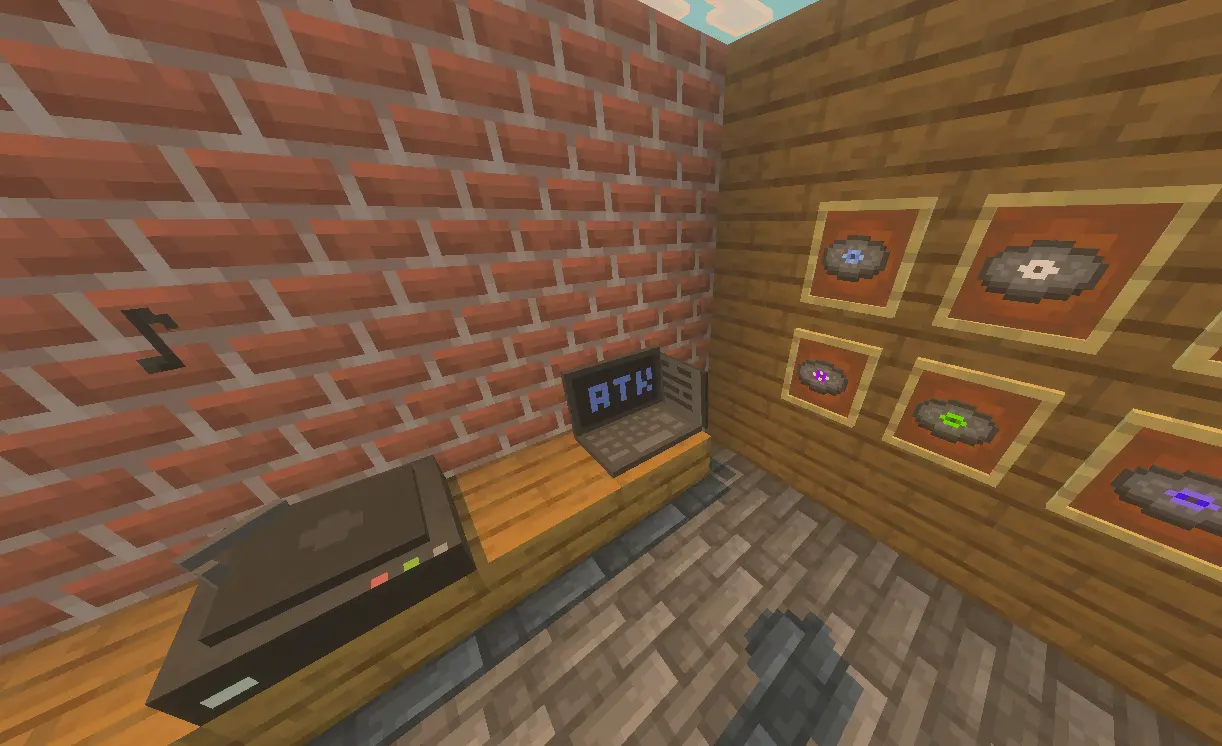
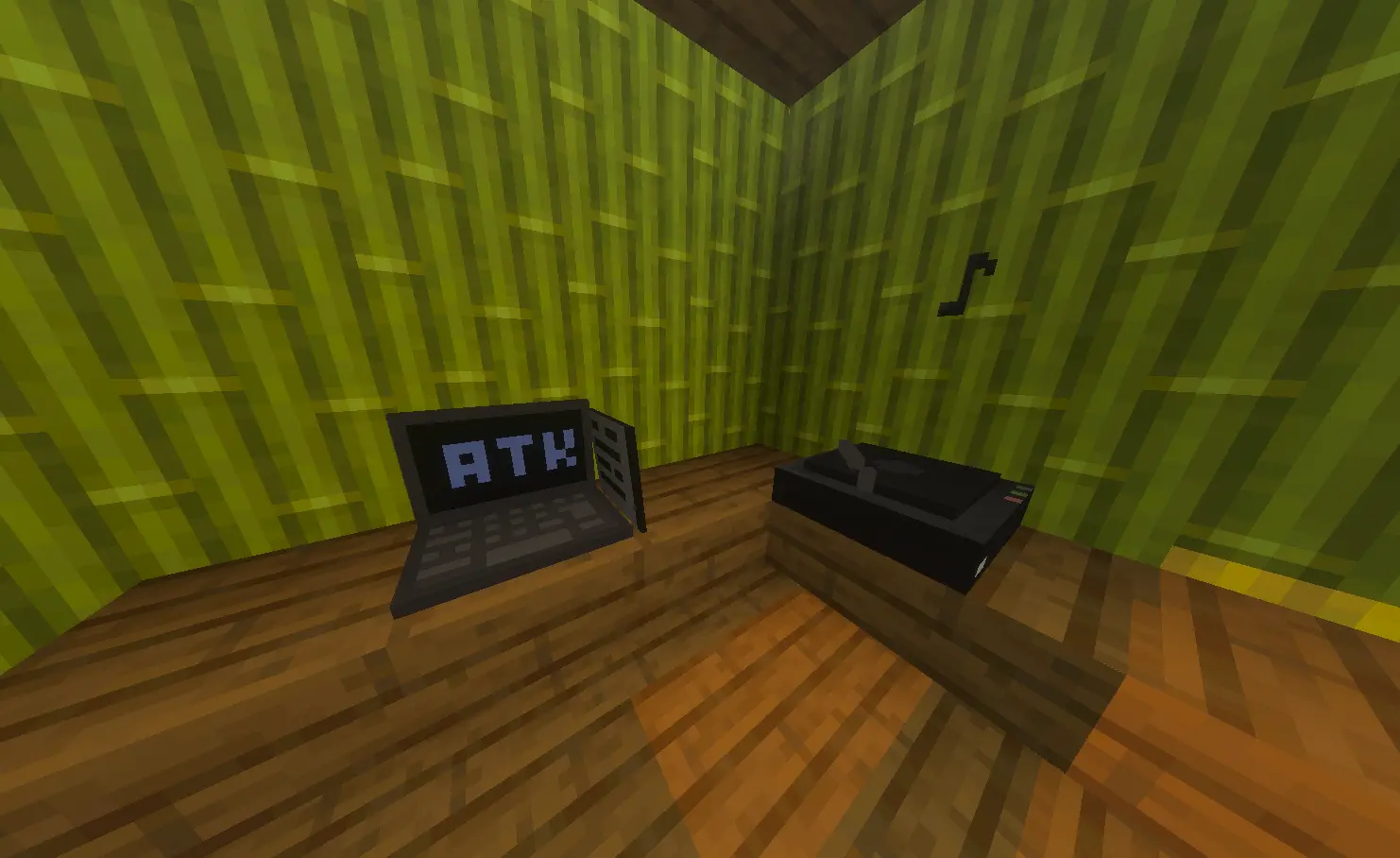
Special player to listen to your discs in-game. Place the player and use it holding a disc to play, or with an empty hand to stop the music.

Record Shop:
Open an in-game interactive catalog to buy any of your custom discs for 5 emeralds.
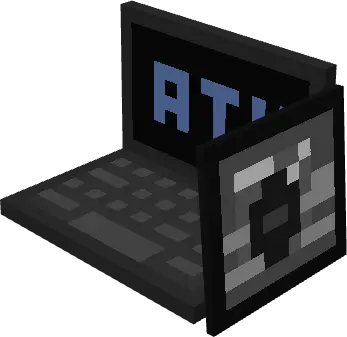
Rockola:
Create a loop playlist with up to 10 music discs. Interact to control playback, skip tracks, or remove songs.

All audio processing is done 100% locally in your browser. Your songs are not uploaded to any external server, guaranteeing maximum privacy and speed when generating your addon.
Crafting Recipes
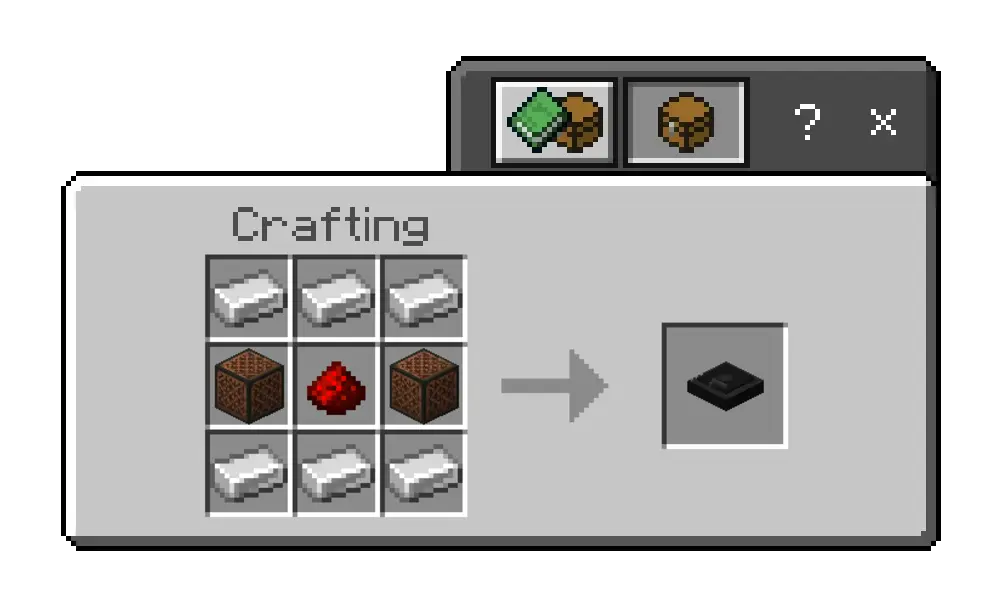
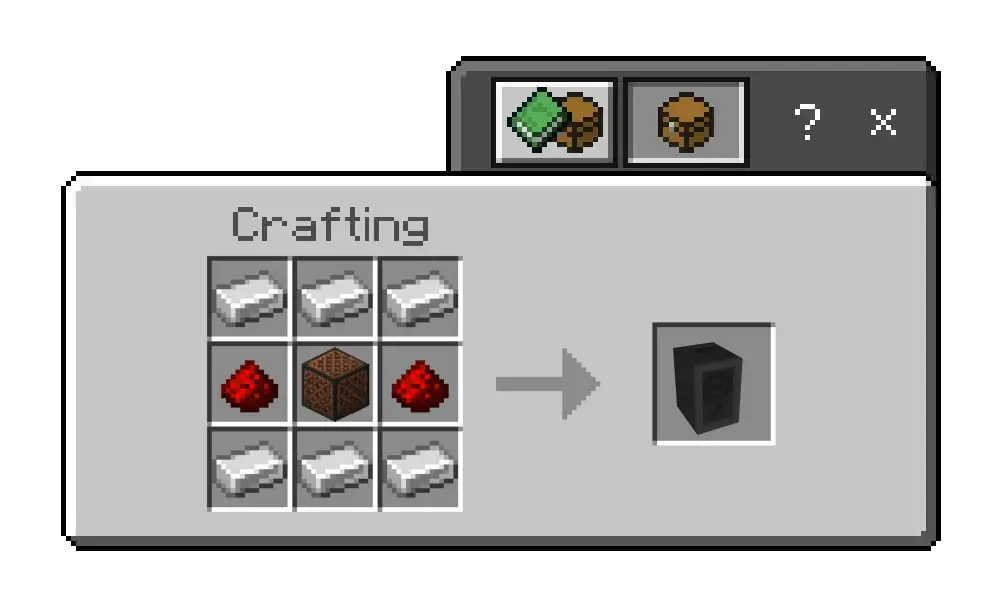
Custom Music Player: 6 iron ingots, 2 note blocks, and 1 redstone.
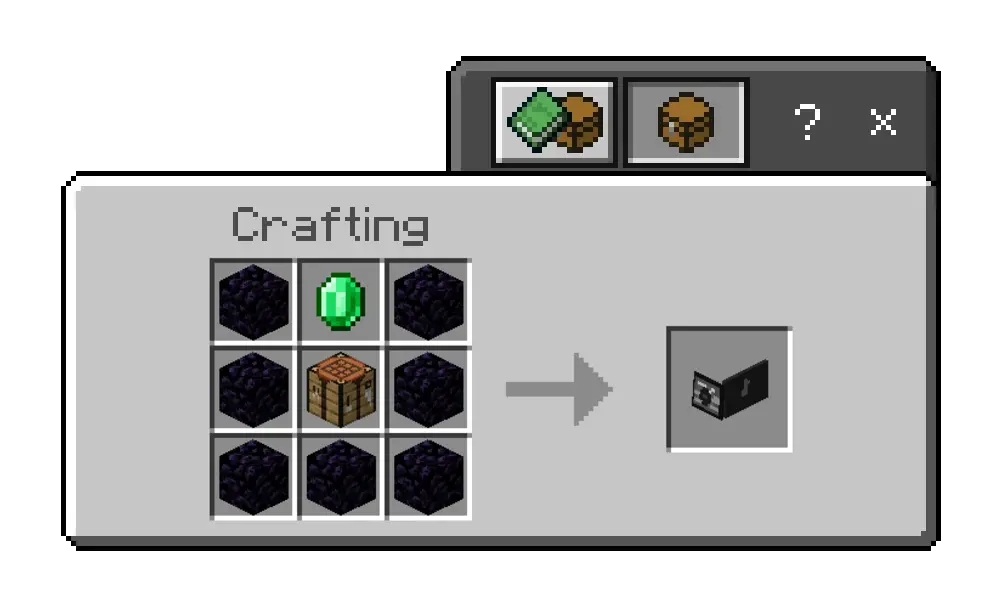
Record Shop: 7 obsidian, 1 emerald, and 1 crafting table.
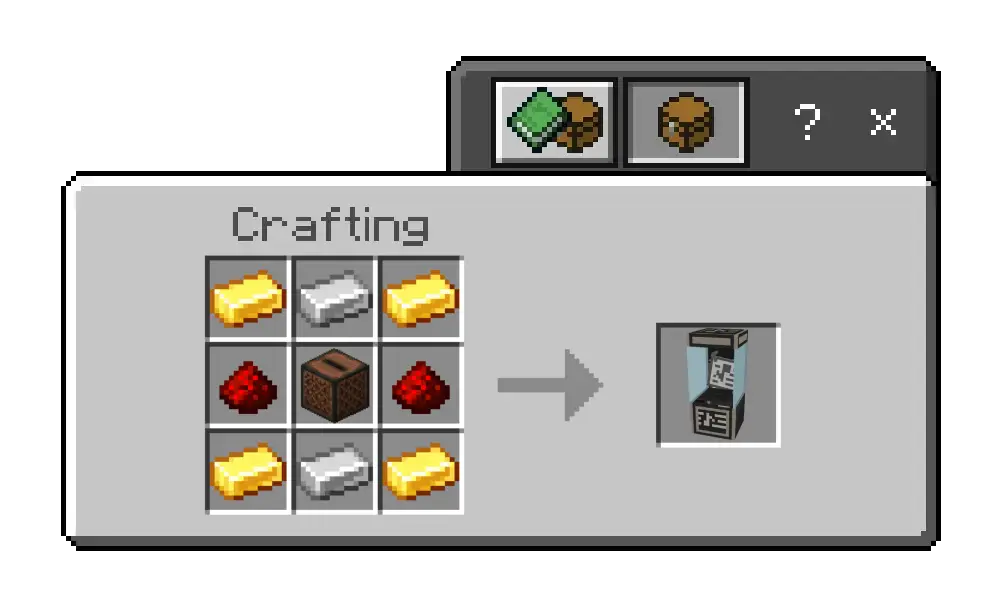
Rockola: 4 gold ingots, 2 iron ingots, 1 redstone, and 1 jukebox.
Creative Ideas
- Servers and Roleplay: Create custom musical atmospheres, community radios, or exclusive music discs for your city or server.
- Adventure Maps: Add custom soundtracks, sound effects, or voiceover audios for your maps.
- Personal Use: Listen to your favorite songs, playlists, or podcasts while building or exploring in your Minecraft world.
How to Download
Since each addon is unique and customized with your audio files, there is no standard download. Use the web editor below to upload your music tracks, customize their cover art, and export your own .mcaddon file.
Sponsored
TUTORIAL: Using the Editor
To get your customized addon, follow these simple steps in our web editor:
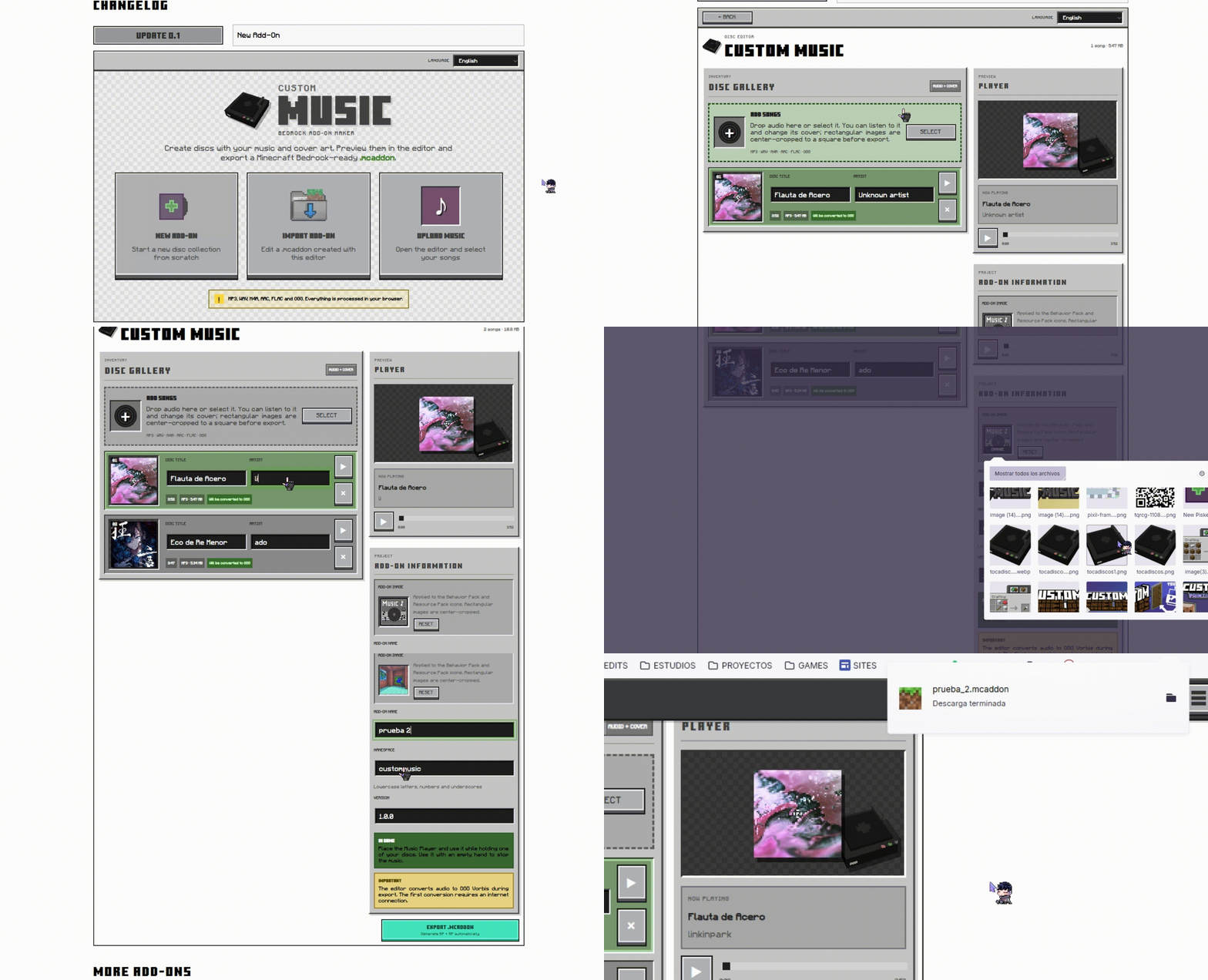
1. Add your songs: Upload one or more audio files (MP3, WAV, M4A, AAC, FLAC, or OGG) from your device.
2. Preview and Edit: Use the built-in audio player to listen to each track. Adjust the song title, artist name, and upload a square image for the disc cover art.
3. Configure the Addon: Assign a custom name, creator, version, and namespace for your pack.
4. Export your Addon: Click on "Export .mcaddon". The editor will convert your audio files to OGG Vorbis format at 48 kHz and automatically generate the downloadable .mcaddon file to open directly with Minecraft Bedrock.
Discover all the features and more! Check the Documentation
Images


Language Support
 English
 Spanish
 Portuguese
 Japanese
 Chinese
Changelog
Sponsored
Custom
Music
BEDROCK ADD-ON MAKERCrea discos con tu música y tus portadas. Escúchalos en el editor y exporta un .mcaddon listo para Minecraft Bedrock.
MP3, WAV, M4A, AAC, FLAC y OGG. Todo se procesa dentro de tu navegador.
Preparando tus canciones
Iniciando…

MineNews
Check for new snapshots